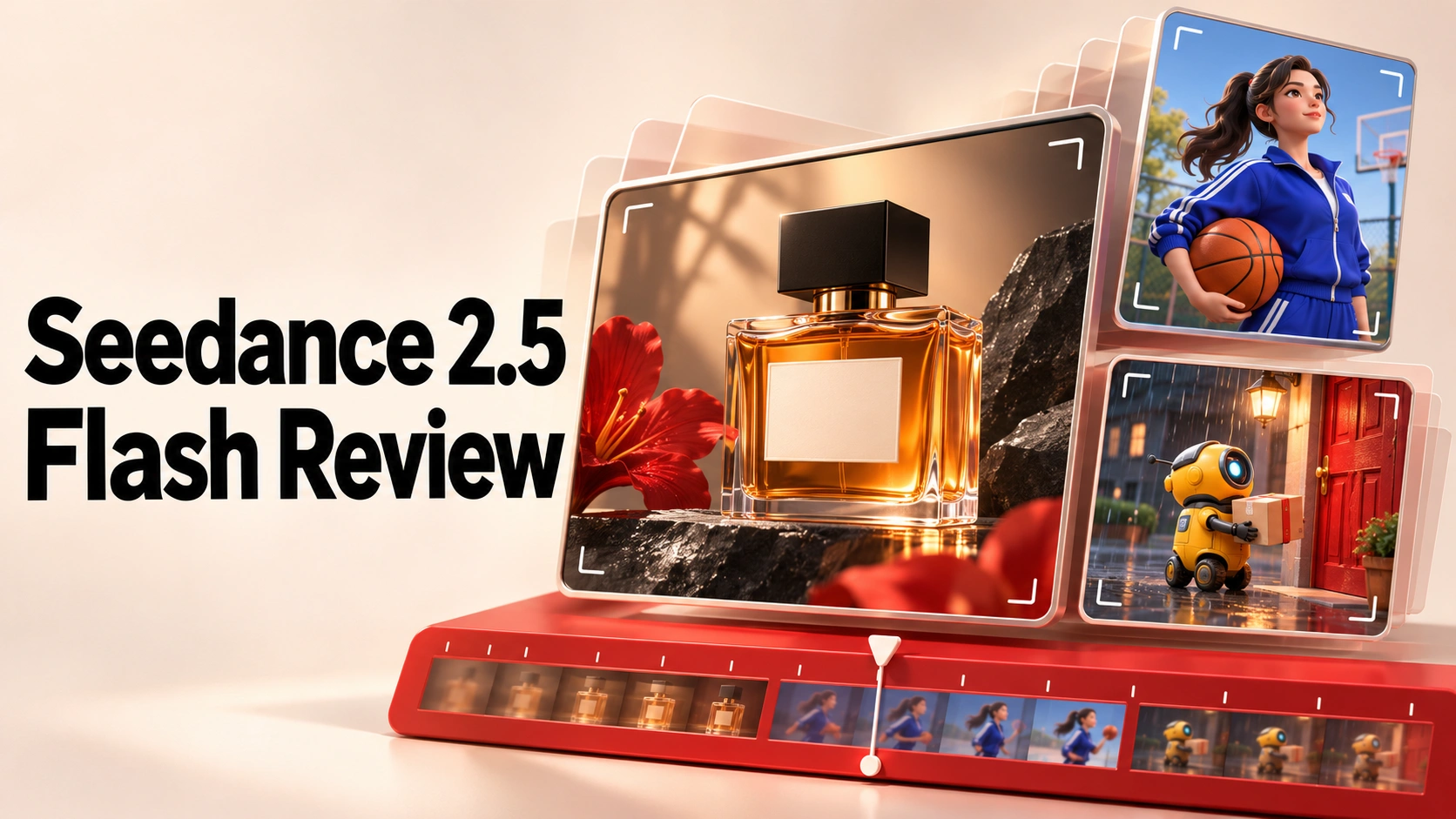
We generated three 8-second, 720p videos with Seedance 2.5 Flash on JXP: a perfume ad, a vertical basketball clip, and a miniature robot delivery. Each request displayed 16 credits, for 48 credits across three first takes.
The perfume shot left room for advertising copy, but its label became harder to read. The basketball clip delivered a clear catch and smile. The robot scene captured the delivery story while placing the mail slot and window differently from the brief.
Our verdict from these three takes: Flash is a useful starting point for exploring short video concepts at 720p. Its clearest verified advantage here was a lower request quote: 16 credits versus 32 for standard Seedance 2.5 at the same settings. The examples below show what that budget produced and which details would send us back for another attempt.
We tested three text-to-video prompts on JXP on November 13, 2026, keeping the first result from each. The standard-model comparison covers settings and pricing only.
What Is Seedance 2.5 Flash?
Seedance 2.5 Flash is the accelerated option in the Seedance 2.5 family. On JXP, it shares the Seedance 2.5 creation page: select Try Flash, then check that the model label reads Seedance 2.5 Flash.
During our session, Flash offered 480p and 720p output and a displayed duration range of 4–30 seconds. We chose 8-second clips at 720p: enough time for a camera move or a short action without asking each take to carry a longer story.
Seedance 2.5 Flash vs Seedance 2.5: Settings and Cost
At our test settings, Flash halved the displayed credit quote. Standard Seedance 2.5 offered additional resolution controls.
JXP setting, checked November 13 | Seedance 2.5 Flash | Standard Seedance 2.5 |
|---|---|---|
Resolution controls | 480p, 720p | 480p, 720p, 1080p, 4K |
Displayed duration range | 4–30 seconds | 4–30 seconds |
Quote for 8 seconds at 720p, text-to-video | 16 credits | 32 credits |
Generations evaluated here | Three first takes | None |
Flash’s displayed quote was 50% lower at these settings. That does not establish a 50% saving on a finished project: extra attempts can change the total. Prices and promotions may change, so check the quote before generating.
JXP also listed Flash at 1 credit per second for 480p and 2 credits per second for 720p. These prices use JXP credits; they should not be read as the model provider’s API rates.
Three Tests: Results at a Glance
All examples used Flash, Text to Video, 720p, and 8 seconds, with no uploaded references or prompt assistance. We retained the first completed output for each brief.
Test | What worked | Main limitation | Our decision |
|---|---|---|---|
Perfume ad | Viewpoint change and left-side ending with dark copy space | Label lettering loses contrast | Keep as a staging concept |
Vertical basketball clip | Ball release and catch, then eye contact and a smile | Ground-contact moment is inconclusive | Keep for the character beat; sports realism remains unresolved |
Robot delivery | Miniature atmosphere, delivery action, later warm window | Uses a slot beside the door; window is beside rather than above it | Revise if the layout matters |
We sampled frames across each clip, then examined the perfume ending and basketball opening more closely. The downloaded files were approximately 8.06 seconds long: 1280 × 720 for the landscape clips and 720 × 1280 for the vertical clip.
Test 1: A Perfume Ad With Space for Copy
Brief: keep one amber bottle consistent, change the camera viewpoint, and finish with the product on the left and room for a headline on the right.
The result begins with a nearly frontal, central bottle and ends with a larger three-quarter view on the left. The dark area on the right gives an editor usable space for copy. The amber glass, black cap, and wet stone also make the intended product-ad treatment easy to recognize.
The weakness is label readability. LUMA is darker early in the shot and much paler later. The word remains discernible in the full-resolution ending frame at 7.95 seconds, but the reduced contrast makes the product name less prominent just where an ad might hold its final frame.
Verdict: keep the composition as a staging concept; revise the label before using the shot in an ad. For a real campaign, start with the actual product photograph so the next test addresses the packaging you need to reproduce.
Exact prompt — 8 seconds, 720p, 16:9; 16 credits quoted
One continuous 8-second luxury perfume advertisement, 16:9. A single rectangular amber-glass perfume bottle with a matte black cube cap stands on wet black stone. The white front label reads exactly LUMA. Keep the bottle still as the camera makes a slow shallow arc from the front to a front-right three-quarter view. Soft golden backlight, precise glass reflections, a little drifting mist, photoreal macro cinematography. Preserve the bottle silhouette, cap, liquid level and label throughout. End with the entire bottle on the left third and empty dark space on the right for advertising copy. No cuts, no extra bottles, no added captions. Quiet water ambience, no speech, no music.
Test 2: A Vertical Basketball Clip
Brief: show one bounce, a two-handed catch, and a turn toward the viewer with a confident smile. Keep the face, outfit, and ball recognizable.
One orange ball leaves the subject’s hands and returns to a two-handed hold. She then looks toward the viewer and smiles as the framing tightens. Her blue tracksuit and ponytail remain recognizable, and her head and hands stay inside the frame at the inspected checkpoints.
The catch-and-smile beat is clear. The bounce is less useful as a sports demonstration: the ball’s lowest position approaches the lower frame edge, and the additional frames do not give a conclusive view of floor contact.
Verdict: keep it as a candidate for the character’s turn and smile. For a brief built around the bounce itself, request framing that leaves more space below the ball; the action needs to be visible enough to judge.
JXP’s details displayed 3 minutes 29 seconds for this generation.
Exact prompt — 8 seconds, 720p, 9:16; 16 credits quoted
One continuous 8-second vertical 9:16 social video. On a sunlit outdoor basketball court, one young adult woman in a cobalt blue tracksuit holds a single orange basketball. She bounces the ball once, catches it with both hands, then turns to look directly into the camera with a small confident smile. Keep the same face, hairstyle, tracksuit and basketball throughout. Medium full-body framing, a gentle camera push-in, realistic anatomy and natural athletic movement. Keep her head and hands inside the frame. Clean blue sky, bright late-afternoon light. No cuts, no extra balls, no captions. Court ambience and one clear basketball bounce, no dialogue, no music.
Test 3: A Robot Delivery With a Spatial Mistake
Brief: a yellow robot posts an envelope through a red door’s mail slot. Only after delivery should the window above the door light up.
The miniature street has the requested rainy atmosphere. The robot approaches with a glowing envelope, brings it toward the building, and the envelope diminishes from view before the nearby window becomes warmly lit. The tighter ending supplies a readable delivery payoff.
Flash changes the layout. A mail slot is visible on the red door, but the robot uses a separate slot in the wall to its right. The window is beside the door rather than above it. Those changes matter if this shot needs to match a storyboard or connect to another view of the same building.
Verdict: keep the atmosphere as a creative reference; revise the layout for a storyboard that requires delivery through the red door. Our proposed next instruction is “one mail slot on the red door, with no other slots in the building.” This is an untested revision, not a demonstrated fix.
JXP’s details displayed 6 minutes 28 seconds for this generation. The two recorded platform timings describe these jobs; actual waiting time can vary.
Exact prompt — 8 seconds, 720p, 16:9; 16 credits quoted
One continuous 8-second shot in a miniature rainy city, 16:9. A small yellow postal robot with one blue eye stands beneath a shop awning holding a glowing white envelope. It walks toward a red door and slides the envelope completely through the mail slot. Only after the envelope has disappeared through the slot, warm light switches on in the window above the door. Keep the robot, envelope and red door consistent. Wide framing, slow camera push-in, tactile stop-motion clay materials. Rain and small mechanical footsteps, no dialogue, no captions, no cuts.
Should You Choose Flash or Standard Seedance 2.5?
Choose Flash when the next decision is about a shot’s direction and 720p meets your needs. The perfume example gave us a workable composition; the robot gave us a miniature setting and story beat to develop. Both also exposed details that needed revision.
Your requirement | What we recommend from this test |
|---|---|
Explore product staging or a short story idea | Try Flash and judge the first take against a clear brief |
Accurate packaging, contact actions, or object relationships | Check those details before keeping a take; our examples leave specific reasons to revise |
Output above 720p | Check standard Seedance 2.5’s higher-resolution options; Flash did not offer them in our session |
A lower quote buys more attempts within the same credit budget. Whether that helps your project depends on how many takes meet the brief. Keep a simple record of what you generated, what you would use, and what still needs changing.
How to Use Seedance 2.5 Flash on JXP
Open the Seedance 2.5 page. On a compact layout, open the video studio.
Select Try Flash and confirm the model label.
Choose Text to Video, paste one of the prompts above, and set 720p, 8 seconds, and its matching aspect ratio.
Check the credit quote and generate.
Before keeping the result, check the subject’s appearance, the key action, the final composition, and sound. Revise the clearest problem first.
Choose the example closest to your project and define one requirement before generating: a readable label, a visible bounce, or delivery through the correct slot. That gives your first take a clear job to do.
Frequently Asked Questions
How much does Seedance 2.5 Flash cost on JXP?
On November 13, 2026, JXP listed Flash at 1 credit per second for 480p and 2 credits per second for 720p. Each of our 8-second, 720p requests displayed 16 credits. Check the current request quote before generating, as prices and promotions can change.
Does Seedance 2.5 Flash support 1080p or 4K?
Flash offered 480p and 720p in our JXP session. Standard Seedance 2.5 also exposed 1080p and 4K controls. If your project requires higher-resolution output, check the standard model’s available settings before submitting.
How long does Seedance 2.5 Flash take to generate a video?
JXP reported 3 minutes 29 seconds for our basketball clip and 6 minutes 28 seconds for the robot clip, both requested at 8 seconds and 720p. These are platform-reported times for two jobs, not a guaranteed range. We did not run a matched timing comparison with standard Seedance 2.5.
Did we test image-to-video with Seedance 2.5 Flash?
No. All three examples used Text to Video without uploaded assets. The Flash interface on JXP offered a Reference Generation mode with an upload control, but this review does not assess its image-to-video quality or reference fidelity.
Is Seedance 2.5 Flash suitable for finished advertisements?
Our perfume take supplied useful composition and copy space, but the label became harder to read. Treat a generated take as a candidate: check packaging, lettering, motion, framing, and sound against your delivery requirements before using it in a finished ad.
Where can I try Seedance 2.5 Flash?
Open JXP’s Seedance 2.5 page, select Try Flash, and confirm that the selected model reads Seedance 2.5 Flash. Choose your generation mode and settings, then check the displayed credit quote.
Try Seedance 2.5 Flash on JXP →
Open the page and select Try Flash to use the model tested here.