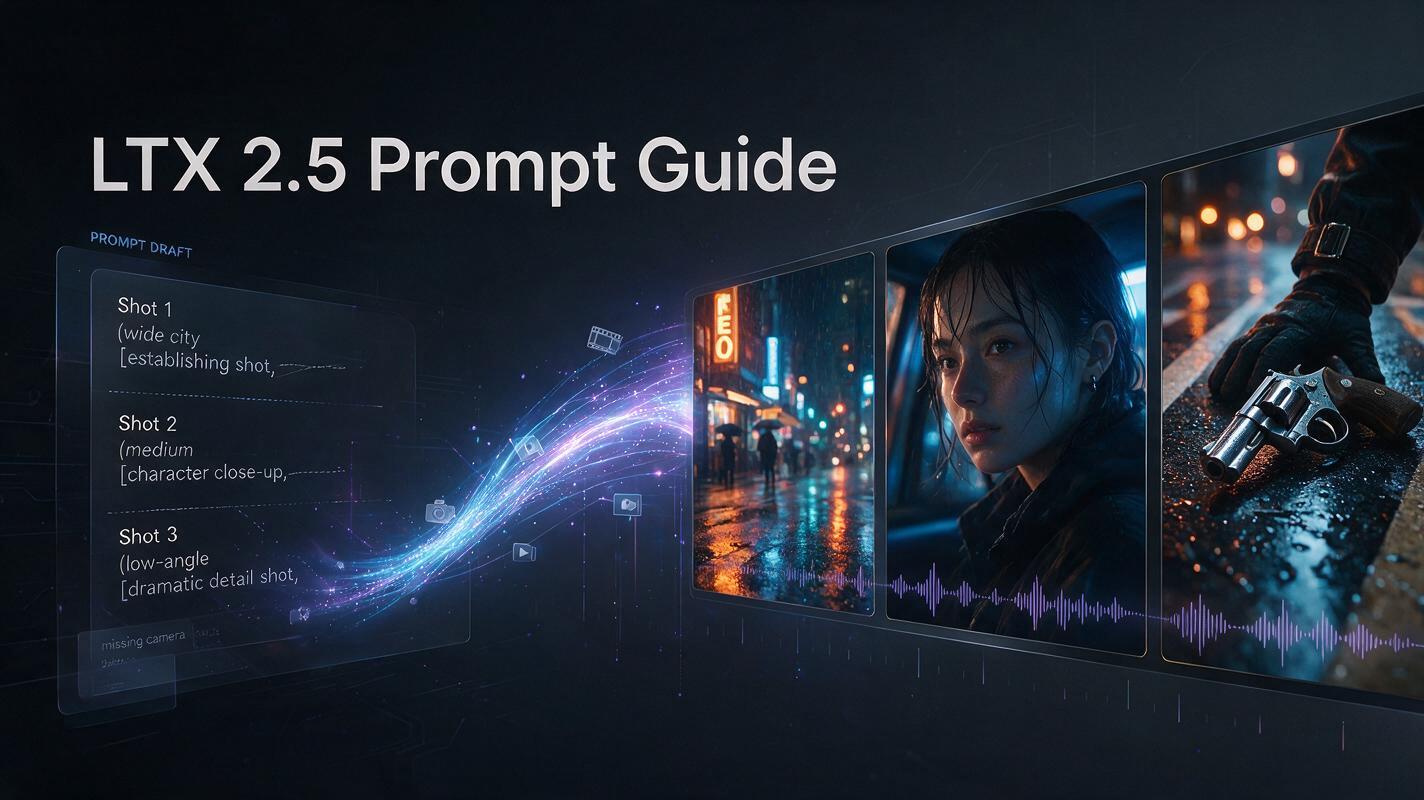
Most LTX 2.5 prompt guide advice tells you what to include. This one starts from what goes wrong, because prompts that disappoint on LTX 2.5 usually fail for a reason unrelated to missing detail — they are formatted for a different model. If you have come from other video generators, you have probably learned to write shot lists: numbered beats, one line per shot, camera notes in brackets. That habit is a common cause of a generation that ignores your cuts or collapses three shots into one.
This LTX 2.5 prompt guide covers the format LTX 2.5 expects, how to convert a shot list into it, what belongs at every cut, how image-to-video changes the formula, how prompt length interacts with the duration setting, and three prompts you can adapt.
Why Most LTX 2.5 Prompts Underperform
Three patterns account for most disappointing LTX 2.5 results.
1. The prompt is a tag list
Comma-separated keywords work on image models trained on caption data. LTX 2.5 wants prose that reads like a shot description handed to a cinematographer — present tense, flowing, chronological.
cinematic, rainy street, neon, dramatic lighting, tracking shot, realistic
That communicates a mood, not how the video develops over time. This does:
A woman in a yellow raincoat walks through a narrow neon-lit street after midnight. Rain falls steadily while the camera tracks beside her at waist height. Pink and blue reflections stretch across the pavement as she looks toward a closed shop on her left.
The second gives LTX 2.5 an ordered event, a camera relationship, and a visual endpoint.
2. The prompt is too short for the clip
A short prompt on a long generation can leave part of the clip underspecified, giving LTX 2.5 more room to invent motion, repeat gestures, or introduce scene changes you did not ask for.
3. The prompt is a shot list
This is the LTX-specific one, and it gets its own section below.
The Six Elements of a Strong LTX 2.5 Prompt
Six things a complete LTX 2.5 prompt should carry — a checklist to run against a draft, not a template to fill in order.
Element | What it means in practice |
|---|---|
Shot | Real cinematography terms and shot scale |
Scene | Lighting, palette, texture, atmosphere |
Action | A chronological action with a beginning and end |
Character | Appearance and physical emotion cues |
Camera | Movement, timing, and endpoint |
Audio | Ambience, music, speech, and dialogue |
Two are worth expanding, because they are the ones people skip.
Emotion through physical cues. “He is nervous” gives LTX 2.5 an abstraction; his hand tightening on the glass and his eyes flicking to the door gives it something to render.
Camera movement including the after-state. Naming a push-in tells LTX 2.5 where to start; describing what fills the frame once it lands tells it where to stop. A move named without an endpoint is a common source of motion that begins confidently and abandons halfway.
Instead of “the camera pushes in”, write:
The camera pushes slowly toward her until her face fills most of the frame and the background falls softly out of focus.
Audio is easy to forget and expensive to forget. LTX 2.5 generates sound in the same pass as the picture, so an unspecified soundtrack is not a silent clip — it is one the model chose for you.
Two Instructions That Quietly Cancel Each Other
Two content problems that break LTX 2.5 prompts on their own, before we get to format.
Contradictory camera directions
Static camera, rapidly orbiting the man, handheld tracking shot.
Three incompatible behaviours — LTX 2.5 will pick one or blend them badly. Commit to one, described relative to the subject:
A stable side-tracking camera moves parallel to the runner at waist height, keeping his upper body centred.
Mixed lighting logic
LTX’s guidance is one coherent light logic per shot; mixed sources confuse the result. So not this:
Golden sunset light, cold midday sun, moonlight, fluorescent office lighting.
Unless the scene genuinely moves between times or places, pick one source and give it a direction — “warm late-afternoon sunlight enters from camera left, throwing long soft shadows across the wooden floor.” One source, one direction, one logic. It matters more in multi-shot prompts, where inconsistent lighting between cuts reads as a continuity error.
LTX 2.5 Multi-Shot Prompts: The Shot List Problem
Here is the format most people bring to LTX 2.5:
Shot 1: Wide establishing shot of a rainy street at dusk. Shot 2: Medium close-up on the woman’s face. Shot 3: Low angle on a man’s boots stepping into a puddle.
Every line is clear, the scene is legible to a human, and LTX 2.5 handles it poorly.
LTX’s guidance is explicit that shot lists, numbered beats, and screenplay sluglines should be avoided for multi-shot generation unless the cut itself is described in prose. LTX 2.5 is reading a continuous description of time passing, and a numbered list gives it labels where it needs transitions. “Shot 2:” is a heading; “a hard cut transitions to…” is an instruction.
Converting a Shot List
The fix is not to add detail — it is to change the shape. Take the three lines above and write them as one chronological paragraph in which each cut is stated:
A wide shot frames a rainy street at dusk, shop signs bleeding colour across wet asphalt as a woman in a yellow raincoat walks toward camera. Soft synth and distant traffic fill the air. A hard cut moves to a medium close-up of her face beneath the hood, raindrops catching the light as she glances off-screen left; the synth continues across the cut and the traffic drops back. Another hard cut drops to a low angle on a man’s scuffed boots stepping into a puddle at the kerb, the music thinning to a low drone.
Same three shots. The cuts are now events rather than headings, the audio is told what to do at each transition, and the woman is described once so LTX 2.5 has an identity to carry.
This conversion is one of the highest-leverage changes in this LTX 2.5 prompt guide. If you change one thing about how you write, this is a good candidate.
What Belongs at Every Cut
For multi-shot LTX 2.5 prompts, LTX documents four things to supply at each transition.
Name the transition
Say what kind of edit it is, in prose — a hard cut, a match cut, a dissolve. The vocabulary matters less than the transition being described rather than implied by a line break.
Re-establish the frame
State the new shot scale, angle, who is in frame, and the lighting if it changed. LTX 2.5 does not carry the previous framing forward for you.
Carry identity forward
Reuse the same visual identifiers when a subject reappears — “the woman in the yellow raincoat, now under the awning”. This gives LTX 2.5 clearer continuity cues rather than leaving it to infer that the person in shot three is the person from shot one.
Say what the audio does
State whether the music continues, the dialogue drops, or the ambience changes. Audio continuity is what most obviously separates a sequence from three clips glued together, and the detail people leave out most often.
How many shots
LTX recommends two to four shots per generation. Beyond four, each shot gets less description and continuity frays — if your scene needs six, generate two clips and cut them together. Give each shot a job: establish, detail, reaction, or wide, medium, close. A sequence where every shot does the same work reads as repetition.
When to Stay Single-Shot
Multi-shot is the LTX 2.5 headline feature, which makes it tempting to use everywhere. It is the wrong choice more often than you would think — stay with one continuous take when the camera move is the idea, when the performance is intimate enough that a cut would break it, or when dialogue has to stay lip-synced in one framing. Image-to-video is the clearest case, covered next.
For a single shot the format is simpler: one flowing paragraph, present tense, roughly four to eight descriptive sentences, with detail scaled to the shot.
LTX 2.5 Image-to-Video Prompts Need a Different Formula
This is the section most LTX 2.5 prompt guide coverage skips, and it changes the formula more than any other input type. A source image already defines appearance, composition, subject identity, and most of the environment — re-describing those things spends the prompt on information LTX 2.5 already has.
Weak, because the image already says all of this:
A luxury perfume bottle on a black pedestal with gold lettering and dramatic studio lighting.
Better, because it describes what happens after the first frame:
The camera begins still, then orbits slowly clockwise around the bottle. A narrow rim light travels across the glass from left to right while reflections shift naturally over the curved surface. The bottle stays stationary and keeps its original proportions and label placement. Fine haze drifts in the background. Soft low-frequency ambience underneath.
The LTX 2.5 rule for image-to-video: spend the prompt on motion, camera, and audio, not on redescribing the frame.
Two constraints specific to image-to-video. last_frame_uri fixes the closing composition but cannot be combined with automatic duration, since a fixed ending needs a known length. And prefer a single continuous take from a first frame — cutting away from an image you supplied means asking LTX 2.5 to establish that frame and abandon it.
A portrait example, where the job is subtle motion rather than a camera move:
The woman stays seated and turns her head slightly toward camera right. Her eyes follow something outside the frame, then she takes a quiet breath and looks back toward the lens. Her hair moves in a light breeze. The camera pushes in slowly and steadily while preserving her facial identity and the original soft window light. Distant city ambience stays understated.
Prompt Length and the Duration Setting
This is the part most LTX 2.5 prompt guides skip, because it lives in the API reference rather than the prompt documentation.
Match prompt length to clip length. LTX’s guidance is to match length to complexity rather than a word count, but there is a practical floor: a long generation needs enough described action to support its duration, or LTX 2.5 has more room to invent motion.
Auto duration changes the calculation. LTX 2.5 can infer clip length from the described action if you send duration as null. The field is still required — omitting it returns an error. With it on, prompt length becomes the input to clip length: a single action stays short, a three-shot sequence runs longer.
Auto duration and fixed last frames are mutually exclusive. If you are supplying a last_frame_uri on image-to-video, you must specify a duration, because a fixed ending requires a known length.
Prepaid accounts hold the maximum. With auto duration, credits are reserved against the longest clip your resolution and frame rate allow, not the clip you get — a prompt that would have produced eight seconds is still declined if your balance cannot cover twenty. The remainder releases when the job finishes.
Prompting Around LTX 2.5’s Weak Spots
LTX documents two areas where LTX 2.5 remains uneven. Prompting cannot fix either, but it can route around them.
On-screen text. LTX describes LTX 2.5 short-text accuracy as improved, with exact spelling and frame-to-frame consistency not guaranteed. Keep text short and prominent, check it across the whole clip rather than one frame, and put anything that has to be correct — titles, logos, legal lines — in post.
Complex physics. Chaotic motion introduces artifacts more readily than plausible motion. Everyday movement is fine; shattering glass, splashing liquid, and tangled cloth are where you should expect to iterate. If the physics is incidental to the shot, simplify it out.
Framing. A constraint rather than a weakness: LTX 2.5 generates 16:9 and 9:16 only. If your delivery is square or 4:5, compose for the crop from the start — subject centred, headroom left — not a wide composition you will have to cut into.
Migrating Prompts From Other Models
Three habits need unlearning. Tag stacking — comma-separated keyword lists are a Stable Diffusion pattern; rewrite as prose. Negative-prompt dependence — LTX 2.5 responds better to a positive description of what should be in frame than to a list of exclusions. Bracketed camera notes — [dolly in] reads as a label; write the move into the sentence.
Read the prompt aloud. If it sounds like someone describing a scene, it is close. If it sounds like metadata, rewrite it.
The Cost of Iteration
An LTX 2.5 prompt guide that ignores cost is only half useful, because every revision is a billed generation.
The durable part of the arithmetic is the ratio between tiers, not the rates themselves. 720p runs roughly a third cheaper than 1080p on Fast, and 4K is several times either. A shot that takes five attempts therefore costs several times more to debug at delivery resolution than at exploration resolution — and that stays true whatever the rates are on the day you read this.
So: iterate at the cheapest tier, then re-run the locked prompt at your delivery tier. Debugging composition at 4K is an expensive way to discover your camera move was underspecified.
For reference, LTX’s per-second rates as documented in August 2026 were $0.09 (720p) and $0.13 (1080p) on Fast, and $0.12 and $0.17 on Pro — putting a ten-second 1080p Fast clip at $1.30, so five attempts at $6.50. Check the current API pricing documentation before budgeting, since rates change.
Three Copy-Ready LTX 2.5 Prompts
Adapt these LTX 2.5 prompts rather than running them verbatim — structural examples, not verified outputs.
Cinematic street scene, single shot
A low-angle medium tracking shot follows a man in a charcoal overcoat through a narrow Tokyo side street after midnight. Rain falls steadily and pink neon stretches across wet pavement. He slows passing a closed ramen shop and notices a red umbrella in the doorway. The camera moves parallel to him, then pushes closer as he stops. He reaches toward the umbrella and hesitates. Rain, distant traffic, and the buzz of neon fill the soundscape.
Dialogue scene, single shot
An over-the-shoulder medium shot frames a woman across from her brother in a quiet kitchen at dusk. Cold evening light enters through the window while one warm lamp lights the table. She folds a handwritten note, sets it beside her cup, and looks at him. The camera pushes in slowly as she says, “I already knew before you called.” She exhales and looks down. A refrigerator hum and distant traffic stay audible beneath the dialogue.
Three-shot sequence
A wide shot establishes an empty seaside bus stop before sunrise, a teenage boy in a faded blue hoodie alone on the bench with a red backpack while waves break behind him. Soft wind and distant surf fill the scene. A hard cut moves to a medium close-up of the same boy in the blue hoodie as he opens the backpack and removes an old photograph; the ocean ambience continues across the cut. Another hard cut reveals an extreme close-up of the photograph trembling in his hand as the first sunlight reaches it. The surf quietens as a piano note enters.
Checklists: Before and After
Before you generate
Is the shot type stated?
Is the subject concrete enough to recognise?
Do the actions happen in a clear order?
Is the camera movement named, with an after-state?
Is the lighting one coherent logic?
Is emotion physical rather than labelled?
Is dialogue inside quotation marks?
Is the soundscape described?
If there are cuts: transition named, framing re-established, audio accounted for?
Does the amount of action match the duration you asked for?
Mostly yes means you have a production brief rather than a pile of style keywords.
After a generation disappoints
Resist rewriting everything at once — you lose track of which change helped. Change one layer at a time:
Reduce the scene to one clear purpose.
Choose one shot scale and one primary camera movement, with an endpoint.
Put the action in chronological order.
Repeat the character identifiers wherever someone reappears.
State what the audio does at each cut.
Add lighting and visual detail gradually.
Raise the delivery tier only once the structure works.
LTX’s own guidance points the same way: start with the core shot and add detail during iteration. Step 7 also matters for cost — once the structure works, move to the delivery tier you actually need.
Generate Videos with LTX 2.5 on JXP
Frequently Asked Questions
How long should an LTX 2.5 prompt be?
Match length to complexity rather than a fixed count — LTX’s guidance puts a single continuous shot at roughly four to eight descriptive sentences, with multi-shot sequences longer. The failure mode to avoid is a long clip with too little described action, which gives LTX 2.5 room to invent motion.
Can I use a shot list format in an LTX 2.5 prompt?
Not effectively. LTX’s guidance is to write multi-shot scenes as one chronological paragraph and avoid shot lists, numbered beats, and screenplay sluglines unless the cut itself is described in prose. Convert each numbered heading into a stated transition.
How many shots can one LTX 2.5 generation hold?
Two to four is the documented recommendation. More cuts mean less description per shot, which is where continuity degrades — for longer sequences, generate multiple clips and edit them together.
How should I prompt LTX 2.5 for image-to-video?
Let the source image carry appearance and composition, and spend the prompt on motion, camera behaviour, and audio. For first-frame image-to-video, a single continuous take is usually the better default.
Why does my LTX 2.5 camera move stop halfway?
Usually because the move was named without an endpoint. Describing what fills the frame after the movement completes gives the model a target to reach rather than a direction to head in.
How do I keep a character consistent across cuts?
Describe the character once in full, then reuse the same visual identifiers whenever they reappear — the same coat, hairstyle, accessories, or other distinguishing features. Repeating those cues gives LTX 2.5 clearer continuity signals across cuts.
Why is LTX 2.5 not following my prompt?
Common causes: an overloaded scene, contradictory camera directions, unclear action order, mixed lighting logic, too many cuts, or physics more chaotic than LTX 2.5 handles reliably. Simplify to a focused shot, then add detail one element at a time.
What aspect ratios can I prompt for?
LTX 2.5 generates 16:9 and 9:16 only. Square and 4:5 require cropping after generation, so compose for the crop in the prompt rather than fixing it later.
Final Takeaway
The biggest improvement you can make to an LTX 2.5 prompt is not adding more adjectives — it is making time explicit. Write actions chronologically, describe cuts as transitions rather than headings, give every camera move an endpoint, and let the source image carry appearance in image-to-video. When a result fails, simplify one layer at a time instead of rewriting everything. Once that structure is working, you can spend your iterations on style rather than on debugging the shot.