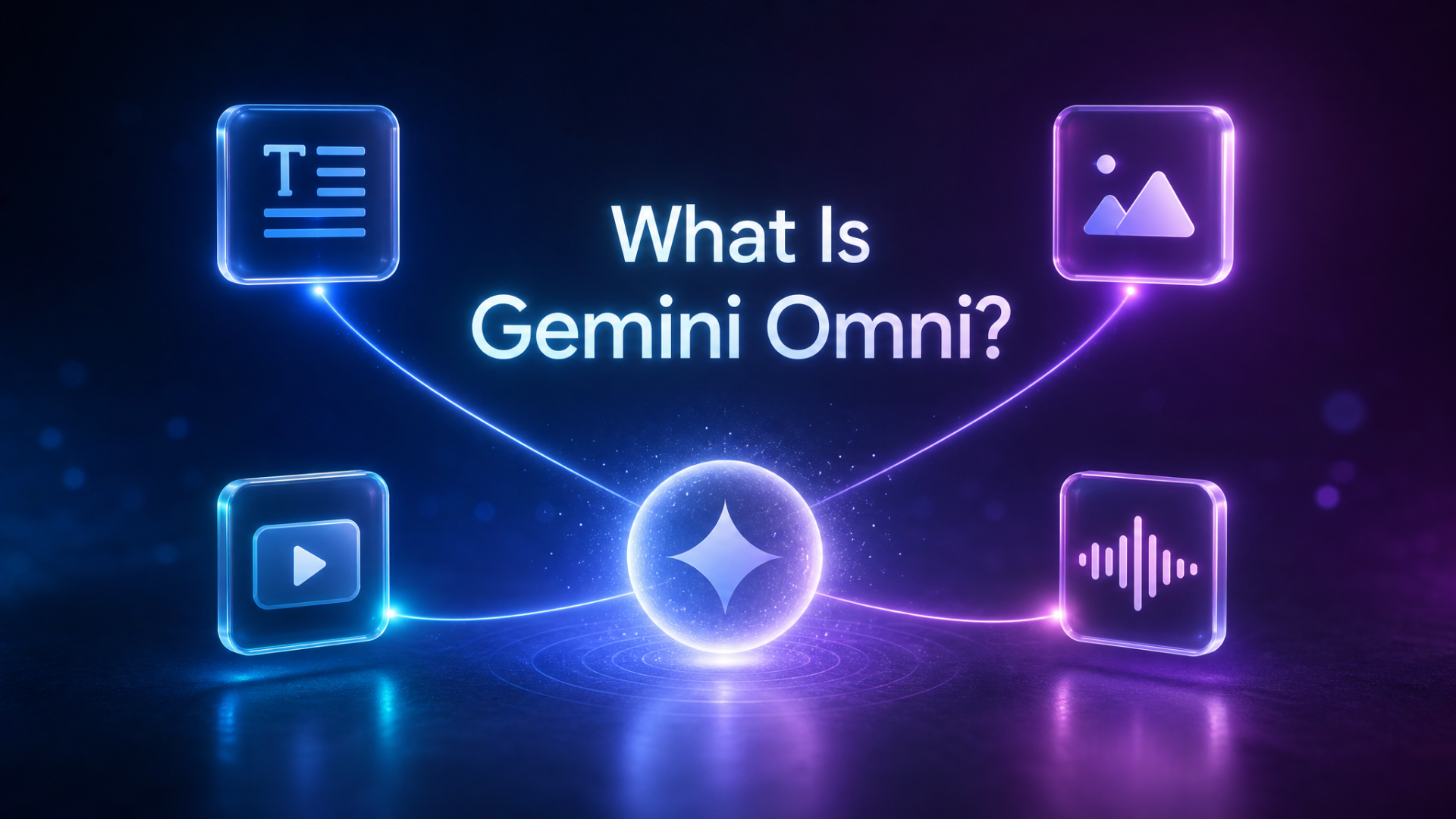
Gemini Omni is Google DeepMind’s latest multimodal AI model family — a unified system designed to create and edit video, image, text, and audio from any type of input. Announced at Google I/O 2026, the Gemini Omni AI video model represents a major leap forward: instead of routing tasks to separate models, it handles everything natively within a single architecture. Whether you’re generating a cinematic clip from a text prompt, editing an existing video through natural language, or combining image and audio references into one coherent output, Gemini Omni does it all in one place.
Quick answer: Gemini Omni is Google’s multimodal AI video model that turns text, images, and audio into high-quality video — and lets you edit clips through natural-language conversation while preserving scene coherence across multiple turns.
Field | Detail |
|---|---|
Model family | Gemini Omni (first release: Gemini Omni Flash) |
Category | Multimodal AI video generation and editing |
Inputs | Text, image, video, audio, hand-drawn sketches |
Outputs | Video with native audio and motion |
Available in | Gemini app, Google Flow, YouTube Shorts |
Public API | Not yet listed as a standalone model |
Announced | Google I/O 2026 |
👉 Try Gemini Omni Video Generator — Start Creating for Free
What Makes Gemini Omni Different from Other AI Video Models
Most AI video tools work by chaining separate systems together: one model understands your input, another generates images, and a third assembles the video. This handoff process introduces inconsistencies — objects flicker between frames, styles drift, and context gets lost in translation.
The Gemini Omni multimodal model eliminates that pipeline entirely. As Google DeepMind describes it, Gemini Omni is where “Gemini’s ability to reason meets the ability to create.” The model natively understands and generates across all modalities — text, image, video, and audio — which means it can maintain scene coherence, follow real-world physics, and apply Gemini’s deep knowledge of history, science, and narrative logic to the videos it creates.
The first release, Gemini Omni Flash, focuses primarily on video creation and conversational editing, and is already rolling out in the Gemini app, Google Flow, and YouTube Shorts.
Core Capabilities of the Gemini Omni AI Video Model
The Gemini Omni video model is built around five core capabilities. Each example below uses prompts demonstrated on Google DeepMind’s official Gemini Omni showcase.
1. Text-to-Video and Image-to-Video Generation
Gemini Omni can generate video from a plain text description or an uploaded image. You don’t need to be a filmmaker or master complex prompt syntax — describe your scene in natural language and the model handles the rest.
Official Google prompt example:
“A marble rolling fast on a chain reaction style track, continuous smooth shot.”
The output follows real-world physics: the marble accelerates, bounces, and slows exactly as it would in the physical world. Gemini Omni has an intuitive grasp of forces like gravity, kinetic energy, and fluid dynamics — capabilities that most dedicated AI video generators still struggle with.
2. Conversational Multi-Turn Video Editing
One of the most distinctive features of Gemini Omni Flash is the ability to edit video through natural, step-by-step conversation. Unlike other AI video tools where you regenerate everything from scratch for each change, Gemini Omni builds on previous edits — maintaining a consistent, coherent scene across multiple turns.
Here’s a real multi-turn editing example from Google’s official demo:
Input: A violinist performing in a studio
Turn 1 prompt: “Transport the violinist to the image environment” → The scene shifts to a meadow
Turn 2 prompt: “Make the violin invisible” → The violin disappears; the bow movement remains
Turn 3 prompt: “Change the camera angle to be over the violinist’s shoulder” → The scene reframes, preserving all previous edits
Each instruction builds on the last without breaking visual continuity. This is the conversational video editing workflow that creative professionals have been waiting for.
3. Reference-Based Control with Multimodal Input
The Gemini Omni multimodal model accepts any combination of inputs — text, images, video clips, audio files, and hand-drawn sketches — and synthesizes them into a single cohesive output.
Official Google prompt example:
“Add harp sounds synchronized to when I touch each fern leaf. Change the leaf structure to all resemble semi-translucent 3D bioluminescent plant life, with bioluminescent fireflies flying around it that react as I play, in sync with the sounds, subtle bokeh depth of field, dynamic lighting, reflecting off the walls in the room.”
The model integrates motion references, style cues, audio timing, and environmental context simultaneously — something no single-modality tool can replicate.
4. Real-World Knowledge and Physics Understanding
Gemini Omni draws on Gemini’s knowledge of history, biology, science, and cultural context to generate videos that feel meaningful, not just visually impressive.
Official Google prompt example:
“Claymation explainer of protein folding, everything is made out of clay, no hands, stop motion, accurate.”
The model understands what protein folding is, how to represent it accurately in claymation style, and how to keep the science correct — all from a single sentence. This is where the Gemini Omni AI model clearly outperforms tools that only pattern-match to visual styles.
5. Style Transfer and Motion Transfer
Gemini Omni can apply motion patterns from one video to a completely different character or object, and transfer visual styles from reference images to new footage.
Official Google prompt example:
“Apply the motion of the whale swimming from the provided video to the provided image of fluid reflective material. Do not show the whale or water; instead, have this reflective moving material form a shape that resembles the whale as it swims.”
This cross-modal reasoning — applying motion from one domain to a visual concept in another — is one of the clearest demonstrations of what a truly unified multimodal model can do.
👉 Generate Your First AI Video on JXP — Free to Start
Gemini Omni Prompt Examples by Use Case
Good prompting is the difference between a mediocre output and a stunning one. The best Gemini Omni prompts describe a scene like a film director — framing, camera motion, lighting, location, action, and sound — then use follow-up turns to refine one element at a time.
Here are ready-to-use prompts organized by content type.
Product Videos
“10-second studio product shot of a matte black coffee grinder on a steel counter, slow push-in camera, morning side light, no text, photorealistic.”
Style Transformation
“When the person touches the mirror, make the mirror ripple beautifully like liquid, and the person’s arm turns into reflective mirror material.”
Educational Explainers
“A skeuomorphism stop motion explainer about how the brain hippocampus works, with a compelling voiceover. No text overlays.”
Social Content
“Word by word, one word on the screen at a time: did, you, know, that, this, model, can, do, pretty, good, text! Each word appears with a different animated style, perfect pacing to a rhythm, sizzle reel.”
Sketch-to-Video
“Turn this into realistic footage, using the drawing only as a guide for movement; do not show the drawing in the final video.”
Prompt Writing Tips for Gemini Omni
Lead with camera framing and environment before describing the action
Specify lighting style explicitly — “morning side light,” “neon street,” “golden hour”
Add sound or audio direction — Gemini Omni handles audio natively, so use it
Use follow-up turns to change one element at a time, never everything at once
Reference visual style with phrases like “photorealistic,” “claymation,” “skeuomorphism”
Be specific about duration — “10-second shot,” “12-second wide angle” — for tighter outputs
Gemini Omni vs Other AI Video Tools
The AI video generation space is crowded. Here’s how the Gemini Omni AI video model compares to the main alternatives.
Feature | Gemini Omni Flash | Veo 2 | Runway Gen-4 | Kling AI |
|---|---|---|---|---|
Native video generation | ✅ | ✅ | ✅ | ✅ |
Conversational multi-turn editing | ✅ | ❌ | Limited | ❌ |
Multimodal input (text + image + audio) | ✅ | Limited | Limited | Limited |
Real-world physics understanding | ✅ | ✅ | Partial | ✅ |
World knowledge integration | ✅ (via Gemini) | ❌ | ❌ | ❌ |
Sketch-to-video | ✅ | ❌ | ❌ | ❌ |
Available now | ✅ | ✅ | ✅ | ✅ |
Key takeaway: Veo 2 leads in raw cinematic quality but lacks Gemini’s reasoning layer. Runway Gen-4 offers strong filmmaker controls but limited conversational editing. Kling AI performs well on physics-based motion. The Gemini Omni multimodal model’s differentiator is the combination of world understanding, multi-turn editing, and unified multimodal input — capabilities no single competitor currently matches.
Where Can You Use Gemini Omni Today?
Gemini Omni Flash is rolling out across several Google surfaces:
Gemini app — Available to Google AI Plus, Pro, and Ultra subscribers
Google Flow — Google’s AI filmmaking tool for creators and filmmakers
YouTube Shorts — Integrated for short-form content creation
Access is gated by region, account tier, and rollout schedule, which means many users still can’t access Gemini Omni directly through Google. For immediate access to AI video generation with similar multimodal capabilities, the JXP Gemini Omni video generator is available right now — no waitlist, no subscription required.
Who Is Gemini Omni For?
Content Creators and Marketers
Generate ad variations, product demos, and social media clips in minutes. The conversational editing workflow means you can refine your output without regenerating from scratch — saving both time and creative energy.
Filmmakers and Storytellers
Google Flow’s integration with the Gemini Omni AI model gives filmmakers precise control over camera motion, character consistency, and scene transitions. The multi-turn editing system is designed for iterative creative workflows — suitable for storyboarding, previsualization, and short-film production.
Educators and Explainer Creators
Gemini Omni’s world knowledge makes it uniquely suited for creating accurate educational content. Ask it to explain protein folding, historical events, or mathematical concepts, and it produces contextually grounded visuals — not just stylized footage.
Developers and AI Builders
While the standalone public Gemini Omni API is not yet available as of May 2026, access is expected through Google AI Studio and Vertex AI following the initial rollout. Build your video product workflow to be model-agnostic now so you can integrate Gemini Omni the moment its API opens.
Does Gemini Omni Have a Public API?
As of May 2026, the Gemini Omni API is not yet listed as a standalone model on Google’s public Gemini API or Vertex AI model documentation. Developers should expect a phased rollout — likely Google AI Studio first, then Vertex AI for enterprise access.
If you’re building a video product today, design your workflow to be model-agnostic: prompt management, asset history, shot planning, and export formatting should all sit in your product layer so you can swap in the Gemini Omni API the moment it becomes public.
How to Try Gemini Omni-Style Video Generation Today
Waiting for a wider Gemini Omni rollout? You don’t have to. The JXP AI video generator already supports the same multimodal workflow — text-to-video, image-to-video, conversational refinement, and reference-based control — with no waitlist and no Google AI Plus subscription required.
Sign in once, describe the scene you want, drop in a reference image, and export a cinematic clip in minutes. It’s the fastest way to experience Gemini Omni-style AI video creation right now.
👉 Start Creating with Gemini Omni-Style Video — Try It Free
Key Takeaways
Gemini Omni is Google DeepMind’s new multimodal AI video model, announced at Google I/O 2026
The first release, Gemini Omni Flash, supports text, image, video, audio, and sketch inputs in a unified model
Core strengths: native video generation, multi-turn conversational editing, reference-based control, real-world physics, and Gemini-grade world knowledge
Gemini Omni is available in the Gemini app, Google Flow, and YouTube Shorts — rollout is still in progress by region and tier
The Gemini Omni public API has not been released yet; developers should monitor Google AI Studio and Vertex AI
You can try Gemini Omni-style video generation today on JXP without a Google AI subscription
Frequently Asked Questions
What is Gemini Omni?
Gemini Omni is Google DeepMind’s unified multimodal AI model that can generate and edit video, image, text, and audio natively within a single system. It combines Gemini’s reasoning capabilities with creative generation and was officially announced at Google I/O 2026.
What is Gemini Omni Flash?
Gemini Omni Flash is the first model in the Gemini Omni family, focusing on video creation and multi-turn conversational editing. It is the version currently rolling out across the Gemini app, Google Flow, and YouTube Shorts.
How is Gemini Omni different from Veo 2?
Veo 2 is Google’s dedicated video generation model — excellent at text-to-video with strong cinematic quality, but without a reasoning layer. The Gemini Omni AI video model adds context understanding, world knowledge, multimodal inputs, and step-by-step conversational editing that Veo 2 does not offer natively.
Can Gemini Omni edit existing videos?
Yes. Multi-turn video editing through natural language is one of its core features. You can change backgrounds, remove objects, alter camera angles, transfer styles, and swap characters — with each edit building on the previous one while maintaining scene consistency.
Is Gemini Omni free to use?
Access through Google requires a Google AI subscription (Plus, Pro, or Ultra tier). Free-tier access may vary by region and product surface. If you want to try Gemini Omni-style video generation for free right now, JXP offers an alternative with no subscription required.
Does Gemini Omni have a public API?
As of May 2026, Gemini Omni Flash is not listed as a standalone public API model on Google’s Gemini API or Vertex AI documentation. Developers should monitor Google AI Studio and Vertex AI for updates as the rollout continues.
What inputs does Gemini Omni accept?
The Gemini Omni multimodal model accepts text prompts, images, video clips, audio references, and hand-drawn sketches — any combination of these can be used together in a single prompt to guide the output.
How do I get started with AI video generation now?
You can start creating AI-generated videos immediately through JXP — no waitlist, no setup required.