Ideogram 4.0 ranks #1 among open-weight image models for text — here’s exactly how to use it on JXP, with the prompt formula and real examples.
Knowing how to use Ideogram 4.0 is one of the fastest skill upgrades any content creator, designer, or marketer can pick up in 2026. Released on June 3, 2026, Ideogram 4.0 is Ideogram’s first open-weight model — a 9.3-billion-parameter text-to-image model trained entirely from scratch. On the independent Design Arena leaderboard it ranks first among all open-weight models (and ninth overall in the text-to-image arena, behind only closed models from OpenAI and Google) — an unusual result for a model that ships its weights publicly. A 0.97 X-Omni OCR score is the reason its in-image text rendering stands out.
Whether you’re building YouTube thumbnails with bold headlines, branded event posters, transparent-background logos, or e-commerce promo graphics, Ideogram 4.0 treats readable text as a first-class design element, not an afterthought. This complete guide covers everything: what the model does, how to prompt it effectively, how to use it on JXP step by step, real prompt examples for five creator use cases, an honest competitor comparison, and a full FAQ.
→ Start with Ideogram 4.0 on JXP — no install needed
What Is Ideogram 4.0 and Why Does It Matter?
Ideogram 4.0 is a 9.3-billion-parameter Diffusion Transformer (DiT) trained from scratch with typographic accuracy as a core objective. It uses a Qwen3-VL-8B-Instruct vision-language model as its text encoder, drawing semantic understanding from 13 intermediate layers — which is why Ideogram 4.0 handles complex multi-word strings, multi-line layouts, and font hierarchy more reliably than most general-purpose AI image generators.
Key Upgrades from Ideogram 3.0 to 4.0
Feature | Ideogram 3.0 | Ideogram 4.0 |
|---|---|---|
Text accuracy (English) | High | ~97% OCR benchmark |
Max resolution | ~1024px | Native 2K (2048px) |
Transparent background | Requires post-processing | Clean alpha cutout in one workflow (native-from-inference rolling out) |
Text positioning | Semi-random | Precise, layout-aware |
Multilingual support | English-primary | Expanded; CJK improving, independent benchmarks still limited |
Character consistency | Not available | New in 4.0 |
Structured prompting | Text description only | JSON with bounding-box & hex palette |
For designers and content teams, the three changes that matter most day-to-day are: a clean transparent cutout in one workflow (Ideogram’s built-in alpha cutout removes the manual masking step — and native alpha straight from inference is rolling out in a follow-up 4.0 release), native 2K resolution (no upscaling before upload), and precise text placement (the words land where you intended them). On the Design Arena leaderboard, Ideogram 4.0 ranks first among all open-weight image models — a strong signal that its design-focused strengths hold up in third-party testing, not just official benchmarks.
How to Use Ideogram 4.0 on JXP — Step-by-Step Workflow
JXP is an all-in-one AI creative suite that gives you access to Ideogram 4.0 alongside other leading image and video models — GPT Image 2, Nano Banana Pro, Seedream 4.5, and more — all in one platform with one credit balance. No juggling multiple subscriptions or switching browser tabs. Here is exactly how to use Ideogram 4.0 from a blank screen to a finished, downloadable design.
Step 1: Navigate to the Ideogram 4.0 Generator
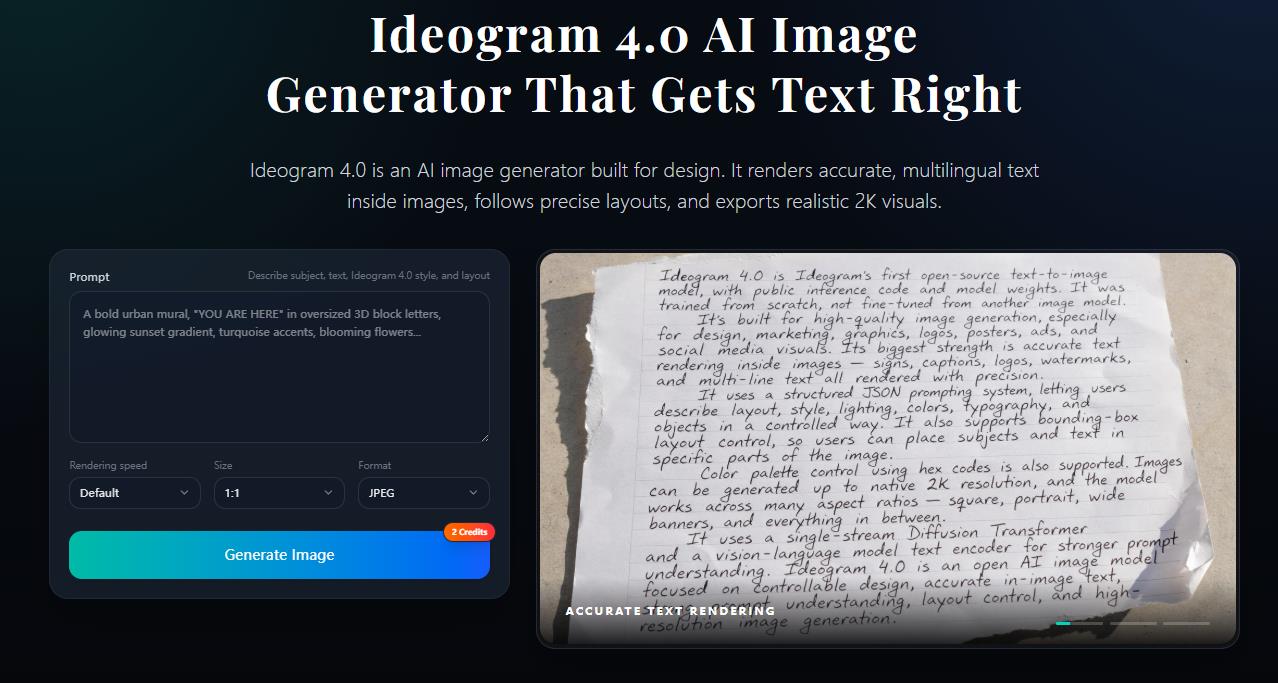
Open the Ideogram 4.0 image generator on JXP directly. You’ll land on the generation interface immediately — nothing to install, and Ideogram 4.0 runs straight in your browser.
Step 2: Write Your Prompt Using the 4-Part Formula
The most reliable Ideogram 4.0 prompt structure is:
[Visual subject] + ["EXACT TEXT in quotes"] + [Design style] + [Layout / format]
The double-quoted string is the most important element. Ideogram 4.0 treats quoted text as a direct typographic instruction — it renders the string exactly as written rather than interpreting it loosely. Always quote the text you want to appear in the image.
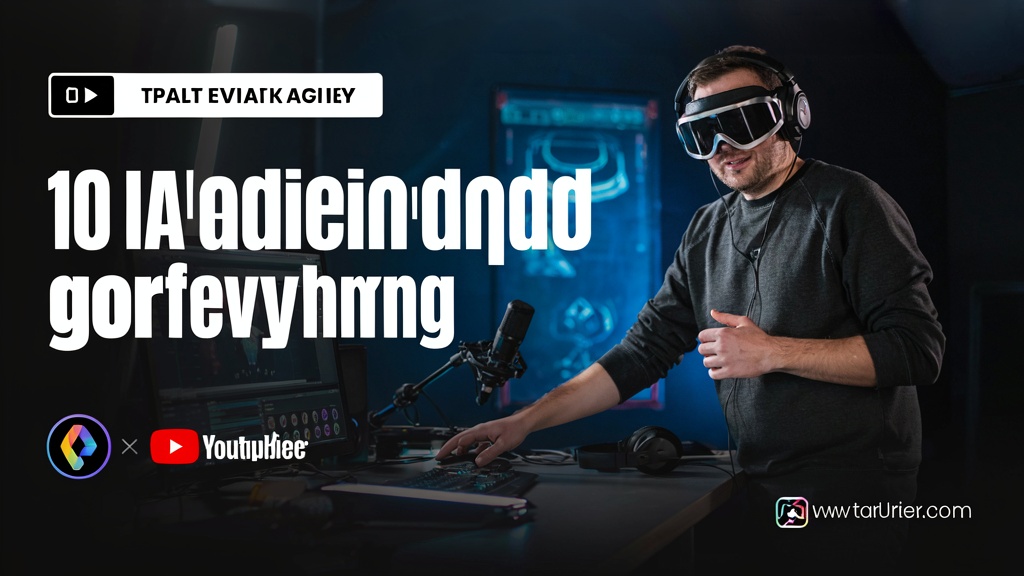
Prompt example — YouTube thumbnail:
Bold YouTube thumbnail, excited creator at a studio desk,
text reads "10 AI Tools That Changed Everything",
oversized white bold font with dark stroke, high-energy tech aesthetic,
16:9 landscape format

Prompt example — event poster:
Vertical event poster, minimalist modern design,
headline reads "AI Design Summit 2026", subtext reads "July 18 - San Francisco",
black and white with single electric blue accent, clean sans-serif, print-ready
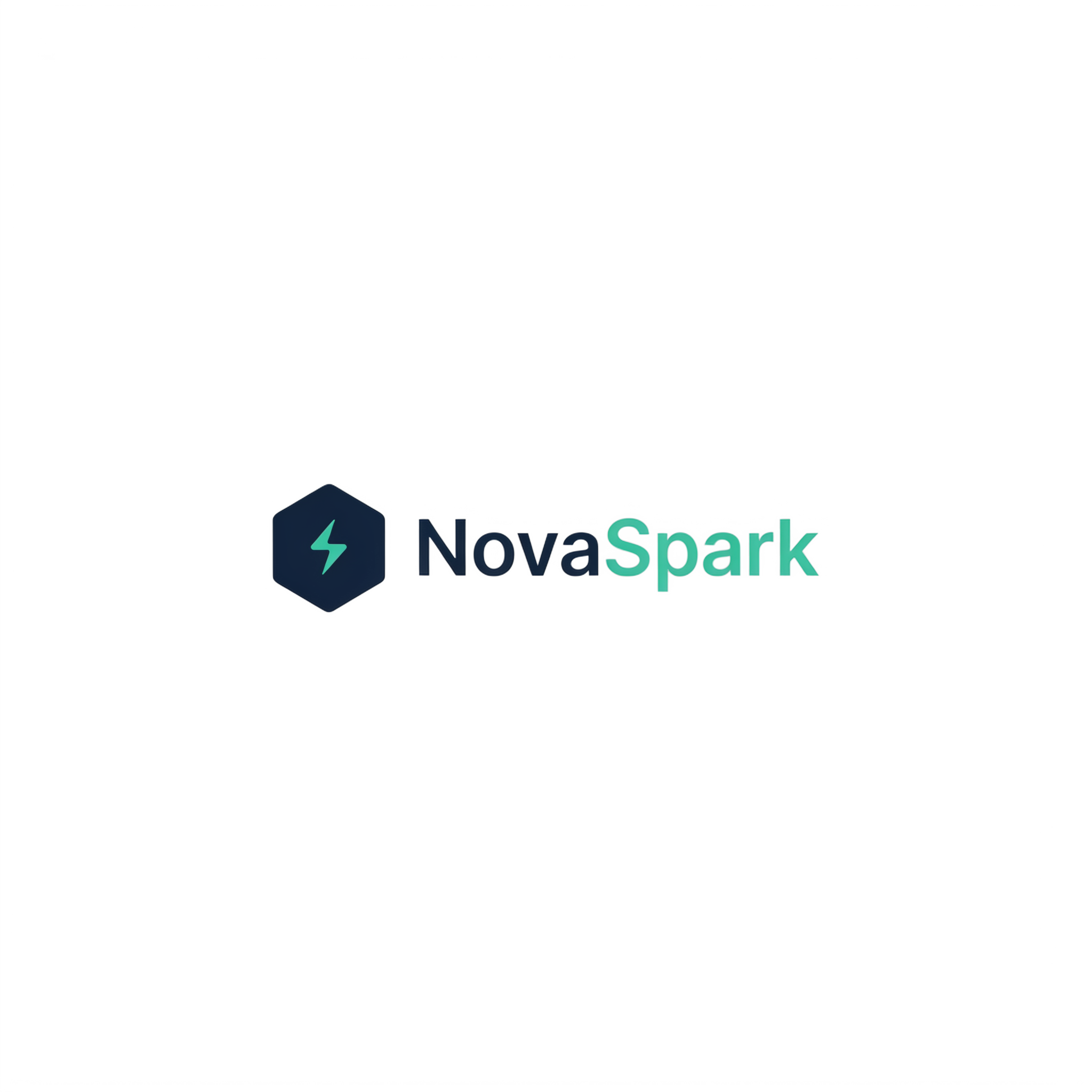
Prompt example — logo with transparent background:
Minimal tech startup logo, company name "NovaSpark" in bold sans-serif,
small hexagon icon to the left, dark navy and teal palette,
transparent background, professional brand identity
Step 3: Set Output Format and Aspect Ratio
Specify the aspect ratio directly in your prompt or via the interface controls:
16:9 → YouTube thumbnails (1280×720)
9:16 → Instagram Stories, Pinterest Pins (1080×1920)
1:1 → Social media posts (1080×1080)
4:3 or custom → Print posters, banners
For any asset you’ll place on top of another image — logos, price badges, text overlays — add transparent background to your prompt, then use Ideogram’s built-in cutout to get a clean PNG.
Step 4: Review, Iterate, and Download
Ideogram 4.0 generates an image in seconds. Generate 2–3 variants for any text-critical asset, select the one with the cleanest text rendering, then download directly from JXP. (See the licensing note below before using outputs commercially.)
→ Ready to create your first image?
5 Key Use Cases with Real Prompt Examples
1. How to Use Ideogram 4.0 for YouTube Thumbnails
Text accuracy is the defining advantage here. Ideogram 4.0 renders short-to-medium phrases (up to about 7 words) at near-perfect accuracy, while competing general-purpose models render multi-word text far less reliably and often need a separate text layer added in Photoshop or Canva. In practice, bold headlines come through with cleanly stroked, legible text that needs little to no manual touch-up.
Best practice: Keep each text element to 7 words or fewer. For longer messages, split into a headline and a subhead with explicit hierarchy.
What doesn’t always work: Complex background scenes with detailed human figures and overlay text in the same frame can produce occasional face artifacts. If photorealistic people are central to the thumbnail, consider generating the background and text separately, then compositing.

Prompt:
YouTube thumbnail, person pointing at glowing screen with shocked expression,
text reads "I Made $10K With AI", bold white font black stroke,
bright saturated colors, 16:9 ratio, high-energy content creator aesthetic
2. How to Use Ideogram 4.0 for Posters & Social Graphics
Ideogram 4.0 understands typographic hierarchy. If your prompt specifies a headline, a subhead, and supporting detail copy, you typically receive an output where those three elements have correct visual weight — sized and positioned like a designer would specify them, not randomly distributed. Poster layouts with two distinct text sizes usually come through correctly within a generation or two.
What doesn’t always work: Decorative or hand-drawn typefaces with fine strokes can lose definition at smaller sizes. For high-detail script fonts, regenerate 2–3 times and select the cleanest output.
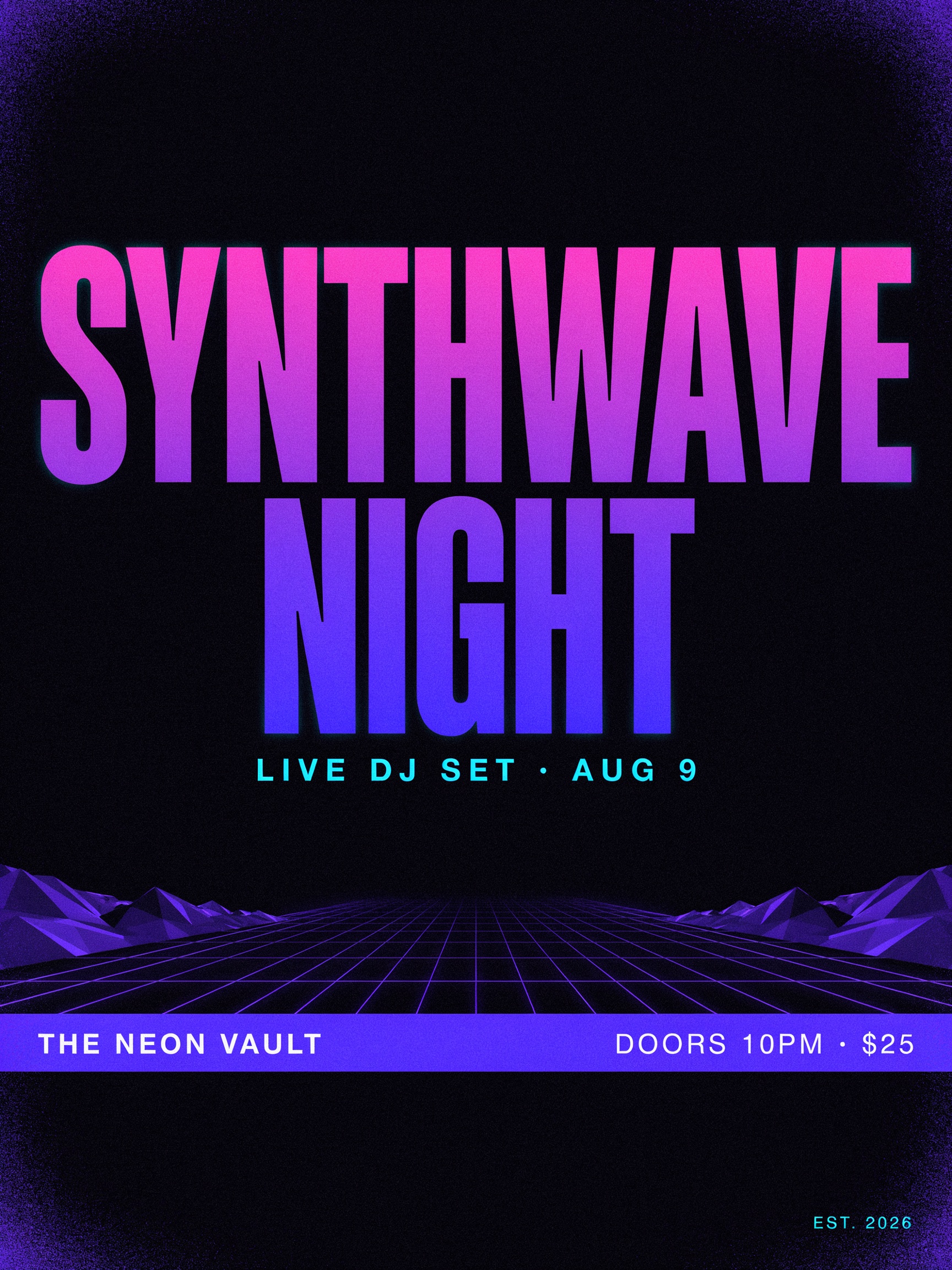
Prompt:
Concert poster, bold retro-modern design,
main text reads "SYNTHWAVE NIGHT", subtext reads "Live DJ Set - Aug 9",
neon purple and black color scheme, textured grain overlay, portrait orientation
3. How to Use Ideogram 4.0 for Logos (Transparent Background)
Transparent output makes Ideogram 4.0 genuinely practical for logo work. With most models you stitch on a separate background-removal step that can damage fine letterforms and thin strokes. Ideogram’s alpha cutout is built into the same workflow and handles hard edges — typography, thin strokes — cleanly, so the result drops onto any background with little to no masking. (Native alpha straight from inference is on the near-term roadmap.)
What doesn’t always work: Fine icon detail at very small render sizes (sub-32px equivalent) can lose crispness. Treat Ideogram 4.0 output as a strong concept draft; take the result into a vector tool for production-ready refinement on complex marks.
Prompt:
Minimal SaaS logo, company wordmark "Taskflow" in geometric bold sans-serif,
small arrow icon integrated into the "T", deep navy and coral palette,
transparent background, vector-clean style
4. How to Use Ideogram 4.0 for E-Commerce Promo Graphics
For promotional overlays, sale banners, and price badges, the combination of accurate text + Ideogram’s clean alpha cutout is especially powerful. Produce the badge, get a transparent PNG from the built-in cutout, then drop it over a product photo with little to no masking. Short promotional strings like “FLASH SALE” and “LIMITED OFFER” render reliably and are ready to composite quickly.
⚠️ Important: Always manually verify numbers and currency symbols (prices, percentages) before using in production — numerical precision is the most common failure mode in Ideogram 4.0.
What doesn’t always work: Multi-digit price strings (e.g., “$1,299.99”) are higher risk than round numbers. Always proofread numerical output before an asset goes live.

Prompt:
E-commerce promo badge, bold promotional design,
text reads "FLASH SALE - 50% OFF", bright orange and white,
clean modern sans-serif, transparent background, square format 800×800
5. How to Use Ideogram 4.0 for Print-on-Demand Designs
Text-on-product designs (quote tees, sticker text, mug slogans) are a natural fit. The clean transparent PNG drops into Printify, Printful, or Etsy mockup tools with minimal cleanup. Short quote-style strings under six words render cleanly and move straight into a product mockup.
What doesn’t always work: Multi-line lyric-style layouts with 3+ stanzas lose alignment consistency. Keep POD text to 1–2 short lines per visual element for reliable results.
Prompt:
T-shirt graphic design, text reads "Good Vibes Only",
hand-lettered script style, vintage sun illustration above text,
warm yellow and terracotta tones, transparent background, print-ready
Ideogram 4.0 vs Competitors: Honest Model Comparison
No model does everything well. The table below compares Ideogram 4.0 against the other models available on JXP, based on third-party benchmarks, official release materials, and independent testing. Ratings are directional, not absolute — treat them as a starting framework for choosing the right tool per task.
Sources: X-Omni OCR benchmark (official Ideogram), Design Arena open-model leaderboard, and independent third-party testing.
Dimension | Ideogram 4.0 | GPT Image 2 | Nano Banana Pro | Seedream 4.5 |
|---|---|---|---|---|
Text accuracy (English) | ★★★★★ (~97% OCR) | ★★★★★ | ★★★★ | ★★★ |
CJK / multilingual text | ★★★ Improving, limited 4.0 benchmarks | ★★★★★ Verified, best-in-class | ★★★★ Documented | ★★★ Latin-primary |
Photorealistic faces | ★★ Over-smoothed, artifact-prone | ★★★★★ | ★★★★★ Best-in-class | ★★★★ |
Typographic aesthetics | ★★★★★ Designer-preferred in blind tests | ★★★★ | ★★★ | ★★★ |
Transparent background | ★★★★★ Clean alpha cutout | ★★★★ Supported | ★★★ Requires prompt | ★★★ Requires prompt |
Generation speed | ★★★★ Fast | ★★★ Moderate | ★★★★★ Very fast | ★★★★ Fast |
Poster / thumbnail design | ★★★★★ Built-in format awareness | ★★★★ | ★★★ | ★★ |
Character consistency | ★★★ New, no reference images | ★★★ Limited | ★★★★★ Multiple reference images | ★★★★ |
When to choose each model:
Ideogram 4.0 → Any image where readable, well-designed text is essential: thumbnails, posters, logos, promo graphics, POD designs. Use the Ideogram 4.0 generator on JXP.
GPT Image 2 → Text accuracy + photorealistic scene in the same frame; verified CJK / multilingual text. Available via GPT Image 2 on JXP.
Nano Banana Pro → Photorealistic human faces, AI influencer series, character consistency across many images. Available via Nano Banana Pro on JXP.
Seedream 4.5 → High-volume cinematic or lifestyle imagery where text is not the primary element. Available via Seedream 4.5 on JXP.
All four models are available side by side on JXP — run the same prompt through multiple models in one session and compare before committing.
A Note on Licensing (Read Before Selling Your Designs)
Licensing for Ideogram 4.0 depends on how you use it:
Using Ideogram 4.0 through JXP runs under JXP’s commercial terms — paid JXP plans include commercial-use rights for the assets you generate.
The open weights on Hugging Face, however, are released under a non-commercial license. If you self-host those weights inside a revenue-generating product, you need a separate commercial license directly from Ideogram.
Always confirm the current terms on Ideogram’s official site before scaling a high-volume or commercial workflow.
Advanced: Structured JSON Prompting in Ideogram 4.0
Most users stick to natural-language prompts, and they work well. But Ideogram 4.0 also accepts structured prompting with bounding-box positioning and a hex color palette of up to 16 values, giving you designer-level layout control — useful when you need a headline locked to the top third of the canvas or a logo badge anchored to a specific corner. For everyday thumbnails, posters, and logos, natural-language prompts with quoted text strings get you most of the way there; reach for structured prompting only when a project demands precise, repeatable placement across a series of matching designs. Check the current prompt documentation for the exact JSON format before relying on it in production.
5 Pro Tips for Better Ideogram 4.0 Results
1. Always quote your text exactly. Write text reads "Your Exact String Here" — not a description of the text. Quoted strings are treated as typographic instructions. This single habit improves first-pass accuracy more than any other prompt change.
2. Keep each text element to 7 words or fewer. Accuracy drops meaningfully beyond 7-word strings. For longer content, split into headline + subhead with explicit visual hierarchy.
3. Specify font style explicitly. bold sans-serif, elegant serif, hand-lettered script, monospace tech — Ideogram 4.0 responds well to direct typography direction. Vague prompts produce more run-to-run variation.
4. Add transparent background for any composite asset. For logos, price badges, stickers, and overlays, include transparent background, then use the built-in cutout. It reliably saves a manual masking step.
5. Generate 2–3 variants, then select the cleanest text. Running a few variants takes only seconds. Always visually verify text rendering — especially numbers and currency symbols — before the asset ships to a client or goes live.
→ Put these tips into practice now:
Open the Ideogram 4.0 Generator on JXP
Frequently Asked Questions
What is Ideogram 4.0 and what makes it different from other AI image generators?
Ideogram 4.0 is a 9.3B-parameter open-weight text-to-image model released June 3, 2026 — Ideogram’s first open-weight model, built from scratch with text rendering as a core design goal. Unlike models that treat letterforms as visual patterns, Ideogram 4.0 uses a dedicated vision-language encoder to understand typography, layout hierarchy, and the relationship between text and image composition. It ranks first among all open-weight models on the Design Arena leaderboard (ninth overall, behind only closed models from OpenAI and Google) and achieves a 0.97 X-Omni OCR score — the benchmark that matters most for readable-text image generation.
How do I write a good prompt for Ideogram 4.0?
Use the 4-part formula: [Visual subject] + ["EXACT TEXT in quotes"] + [Design style] + [Layout/format]. The single most important habit is quoting the text string exactly as you want it rendered. Specify font style (bold sans-serif, script, etc.) and aspect ratio explicitly to reduce the number of regenerations needed.
What aspect ratios and resolutions does Ideogram 4.0 support?
Ideogram 4.0 outputs natively at up to 2K (2048px) and handles standard creator ratios: 16:9 for YouTube thumbnails, 9:16 for Stories and Pins, 1:1 for social posts, and custom portrait/landscape formats for print. Specify the ratio in your prompt or via JXP’s interface controls.
Does Ideogram 4.0 support transparent backgrounds?
Yes. Transparent output is available through Ideogram’s built-in alpha cutout, which produces a clean PNG from any 4.0 generation without a manual Photoshop masking step — and native alpha straight from inference is rolling out in a follow-up 4.0 release. It works most reliably on graphic design elements (logos, badges, overlays). Use it any time you plan to composite the image over another layer.
How does Ideogram 4.0 compare to GPT Image 2 for text?
GPT Image 2 is the more verified option for raw multilingual accuracy, especially CJK scripts. Ideogram 4.0 benchmarks at ~97% English OCR and, in blind design comparisons, is frequently preferred by professional designers because its text carries stronger typographic aesthetics and compositional integration — not just spelling accuracy. The practical summary: choose GPT Image 2 on JXP for maximum verified accuracy (especially CJK), and Ideogram 4.0 for design-quality typography in posters, thumbnails, and logos.
Can Ideogram 4.0 render Chinese, Japanese, or Korean text?
Ideogram 4.0 offers expanded multilingual coverage, but as a model released in June 2026, independent CJK-specific benchmarks are still limited and CJK support is best treated as improving rather than fully verified. For projects where CJK accuracy is critical, GPT Image 2 on JXP remains the better-verified option — treat Ideogram 4.0 CJK output as promising but worth checking before production.
How many words of text can Ideogram 4.0 reliably render?
Accuracy is near-perfect for phrases of up to 5–7 words. Beyond 7 words, accuracy drops meaningfully. For longer text content, split into separate visual elements (headline + subhead) with clear hierarchy rather than one long string.
Can I use Ideogram 4.0 for print-on-demand and sell the designs commercially?
Yes — POD is a strong fit. Most POD designs are text-first (quote tees, stickers, mugs), and Ideogram 4.0’s transparent PNG output drops into Printify, Printful, or Etsy mockup tools with minimal cleanup. JXP paid plans include commercial-use rights for what you generate on JXP. If you instead self-host the open weights, note they are non-commercial — verify current terms on Ideogram’s official site before scaling.
Where can I use Ideogram 4.0 without managing a separate subscription?
JXP’s Ideogram 4.0 generator gives you access to Ideogram 4.0 alongside GPT Image 2, Nano Banana Pro, Seedream 4.5, and leading video models — all on one platform with one credit balance. No separate login, no juggling tabs.
Final Thoughts: Mastering How to Use Ideogram 4.0
Learning how to use Ideogram 4.0 comes down to a few repeatable habits: quote your text exactly, keep each element to 7 words or fewer, specify the font style, and generate a couple of variants. Do that consistently, and Ideogram 4.0 turns thumbnails, posters, logos, and product graphics from a multi-step Photoshop job into a single prompt. It won’t replace every model in your stack — pair it with GPT Image 2 or Nano Banana Pro when you need photorealistic faces or verified CJK text — but for design work where the words have to be both readable and beautiful, Ideogram 4.0 is the strongest open-weight tool available in 2026.
→ Start creating today: