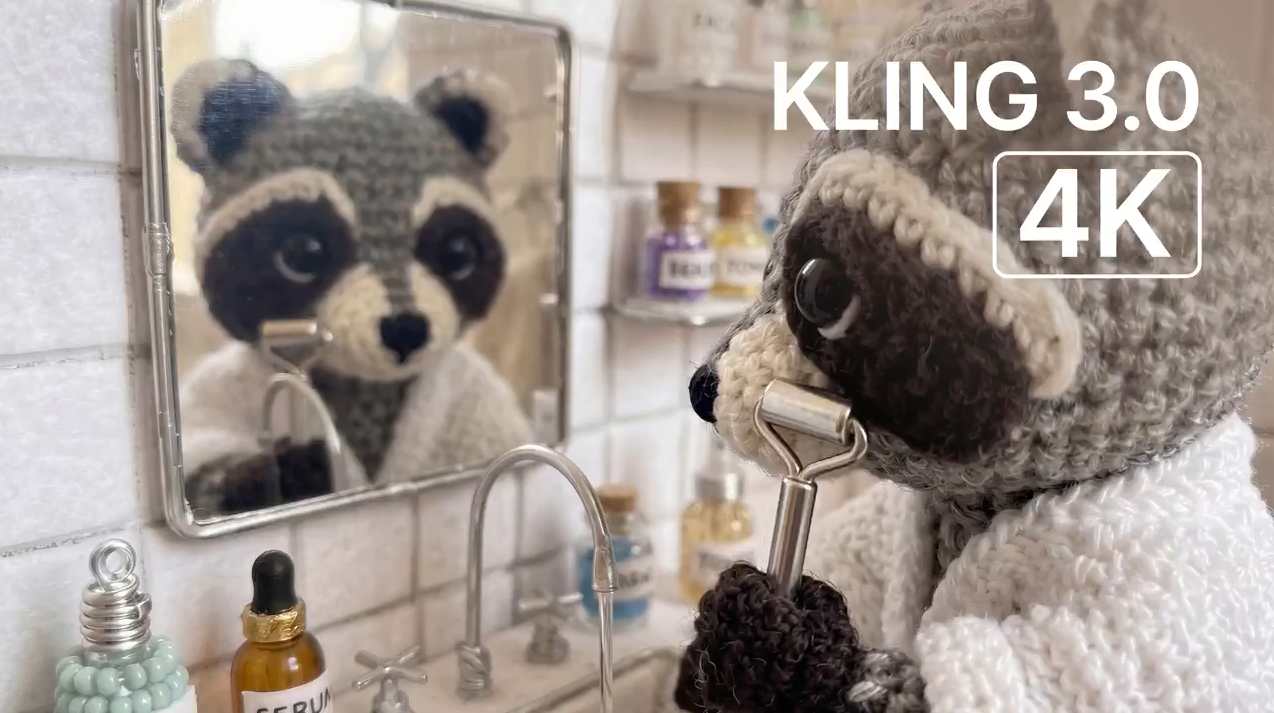
If you’re looking for the most powerful way to generate Kling 4K video content with AI, Kling 3.0 is the model that’s changing the entire industry. Released in early 2026 by Kuaishou Technology, Kling 3.0 is built on a unified multimodal architecture that integrates text-to-video, image-to-video, native audio synthesis, and multi-shot storyboarding into a single intelligent pipeline — all the way up to native 4K resolution at 60fps. Whether you’re a content creator, filmmaker, or brand marketer, this guide covers everything you need to know to get the best results from Kling 3.0’s 4K capabilities.
👉 Try Kling 3.0 on our platform →
What Is Kling 3.0 and Why Does 4K Matter?
Kling 3.0 is the third major iteration of Kuaishou’s flagship AI video generation platform. Unlike previous versions that relied on separate pipelines for video, audio, and image tasks, Kling 3.0 combines all of these into one model — what the team calls the Omni One architecture. At the heart of this architecture is 3D Spacetime Joint Attention and Chain-of-Thought reasoning, enabling the model to understand and simulate real-world physics.
The leap to native Kling 4K output (3840×2160) at up to 60fps is not cosmetic. Earlier models maxed out at 1080p, and the difference in texture detail, edge sharpness, and overall production quality is immediately visible, especially on large screens or professional monitors. With 16-bit HDR color support, videos generated in Kling 3.0 are genuinely broadcast-ready — suitable for cinema, television, premium digital platforms, and commercial campaigns — without any additional upscaling or post-processing.
Key Technical Specs at a Glance
Resolution: Native 4K (3840×2160) up to 1080p in standard tiers
Frame Rate: Up to 60fps (Pro tier with 4K)
Video Duration: Up to 15 seconds per generation
Color Depth: 16-bit HDR
Aspect Ratios: 16:9, 9:16, 1:1, 21:9 cinematic
Export Formats: Standard video + 16-bit EXR sequences (for Nuke, After Effects, DaVinci Resolve)
Core Features of Kling 3.0
Omni One Architecture: Physics That Actually Work
Previous AI video models often produced motion artifacts — floating objects, broken limbs, unnatural sliding — because they didn’t model real-world physics. Kling 3.0’s Omni One engine uses Chain-of-Thought reasoning to predict realistic movement. Characters and objects now move with true gravity, balance, deformation, collision, and inertia. Whether it’s flowing water, draped fabric, or a character running across a surface, the motion behaves the way it would in the physical world.
Multi-Shot Storyboarding
One of the most significant upgrades in Kling 3.0 is the multi-shot generation capability. The model can plan and generate multiple camera cuts within a single video — up to 6 shots per clip — including shot-reverse-shot dialogue, cross-cutting scenes, and smooth camera transitions. This means creators can produce complete cinematic sequences without manual editing or clip assembly. The AI Director system takes natural language instructions (“zoom in on the character’s face, then cut to a wide establishing shot”) and executes them with professional precision.
Native Audio Sync
For the first time in AI video generation, Kling 3.0 generates synchronized audio alongside the video in a single pass. This includes:
Voiceovers and dialogue with accurate lip synchronization (supporting 7 languages)
Sound effects matched to on-screen action
Ambient audio and background music
Multi-language lip sync for global content creation
Because the audio is generated as part of the video model’s output — not overlaid in post-production — the lip movements and sound are far more natural and accurately timed than any previously available AI system.
7-in-1 Multi-Modal Editor
Kling 3.0 consolidates seven creative capabilities into one platform:
Text-to-video generation
Image-to-video animation
Reference-based video generation
Video-to-video transformation
Native audio synthesis
Avatar and talking head creation
Regional (pixel-level) editing and inpainting
The regional editing feature deserves special mention: you can modify specific objects or elements within a generated clip — removing something, swapping a background, or changing a character detail — without regenerating the entire video.
Draft Mode vs. Pro Mode
Kling 3.0 offers two generation modes to suit different workflows:
Draft Mode: 5–20x faster generation, ideal for rapid prototyping and iterating on ideas before committing to a full render.
Pro Mode: Full Omni One physics simulation, maximum quality, and access to 4K/60fps output.
This two-tier approach means you can quickly explore creative directions at low cost and then finalize the best version at full cinematic quality.
Kling 3.0 vs. Competitors: Feature Comparison
Feature | Kling 3.0 | Sora 2 | Runway Gen-4 | Veo 3 |
|---|---|---|---|---|
Native 4K Output | ✅ (60fps) | ❌ (1080p max) | ❌ (1080p max) | ✅ (limited) |
Native Audio Sync | ✅ (7 languages) | ❌ | ❌ | ✅ (limited) |
Multi-Shot Storyboarding | ✅ (up to 6 shots) | ❌ | ❌ | ❌ |
Physics Simulation | ✅ (Omni One) | Partial | Partial | Partial |
Max Video Duration | 15 seconds | 20 seconds | 16 seconds | 8 seconds |
Unified Multimodal Model | ✅ | ❌ | ❌ | ❌ |
Regional Editing | ✅ | ❌ | ✅ | ❌ |
EXR Export (VFX) | ✅ | ❌ | ❌ | ❌ |
Kling 3.0’s unique advantage is the combination of native Kling 4K output, multi-shot directing, native audio synthesis, and character consistency binding — a feature set that no single competitor currently matches in one unified model.
How to Generate Kling 4K Videos: Step-by-Step
Getting started with Kling 3.0’s 4K capabilities is straightforward:
Step 1 — Write your prompt. Describe your scene, characters, mood, camera movements, and visual style using natural language. Kling 3.0 understands cinematic terminology: pan, tilt, zoom, dolly, rack focus, and shot-reverse-shot all work as intended.
Step 2 — Choose your inputs. You can start from a text prompt alone, upload up to 4 reference images to anchor the visual style or character identity, or combine both. For maximum character consistency, generate a reference still first and upload it as the starting frame.
Step 3 — Configure your generation settings. Select aspect ratio, video duration (up to 15 seconds), and output quality. For Kling 4K output, select Pro Mode. Enable native audio generation if you need synchronized sound. Enable Multi-Shot if you want automatic camera cuts.
Step 4 — Generate and preview. A draft preview is available quickly. Use the 7-in-1 Multi-Modal Editor to refine specific elements, adjust audio, or swap background details without starting over.
Step 5 — Export. Download your final Kling 4K video at 3840×2160 / 60fps, or export 16-bit HDR EXR sequences for integration into Nuke, After Effects, or DaVinci Resolve pipelines.
Who Should Use Kling 3.0 for 4K AI Video?
Content Creators & Social Media Teams — Generate scroll-stopping short-form content for TikTok, Instagram Reels, and YouTube Shorts with lifelike motion, native sound, and professional visual quality.
Brand Marketers & Agencies — Produce polished commercial videos from a single product image — complete with camera movement, voiceover, and music — in minutes rather than days.
Filmmakers & Storyboarders — Previsualize multi-shot sequences, prototype scene layouts, and test narrative structures before committing to production budgets.
Educators & Course Creators — Generate instructional videos with synchronized narration and multi-language lip sync, reaching global audiences without re-shooting.
VFX Artists & Post-Production Teams — Export linear EXR sequences directly into professional compositing pipelines for seamless integration with existing workflows.
Frequently Asked Questions About Kling 4K
Q: What resolution does Kling 3.0 actually output? A: Kling 3.0 supports native 4K (3840×2160) at up to 60fps in the Pro tier. Standard tiers offer up to 1080p. The 4K output is genuinely native — not upscaled from a lower resolution.
Q: Does Kling 3.0 really generate audio in the same pass as the video? A: Yes. The native audio system generates speech, sound effects, and music alongside the video in a single generation pass. Lip synchronization is part of the model’s output, not added in post-processing — resulting in more natural and accurate timing.
Q: How long can Kling 3.0 videos be? A: Up to 15 seconds per generation. Multi-shot mode supports up to 6 camera cuts within that 15-second window, enabling complete mini-narratives in a single output.
Q: Can I maintain the same character across multiple scenes? A: Yes. The Subject Binding feature (also called Director Memory in some contexts) locks a character’s face, clothing, and body type across multiple generations, ensuring visual consistency throughout a project.
Q: Does Kling 3.0 support commercial use? A: Yes, commercial usage rights are included with paid plans. Videos generated can be used for advertising, social media campaigns, film, and branded content.
Q: What languages does the native audio support for lip sync? A: Kling 3.0 supports lip-synchronized audio in 7 languages, making it suitable for international marketing and multilingual educational content.
Q: Can Kling 3.0 integrate with professional VFX software? A: Yes. Kling 3.0 exports 16-bit HDR linear EXR sequences that are compatible with Nuke, Adobe After Effects, and DaVinci Resolve.
Q: What is the difference between Draft Mode and Pro Mode? A: Draft Mode is 5–20x faster and ideal for rapid iteration. Pro Mode activates the full Omni One physics simulation and enables native 4K/60fps output for final-quality renders.
Final Thoughts
Kling 3.0 represents a genuine step change in what AI video generation can produce. The move to native Kling 4K output at 60fps, combined with physics-accurate motion, multi-shot storyboarding, and fully synchronized native audio, puts professional-quality video creation within reach of anyone — regardless of budget or technical expertise. For teams that need broadcast-ready output, the EXR export pipeline and commercial usage rights make it a serious tool for production environments.
If you’re ready to experience what native 4K AI video actually looks like, start your first generation today.