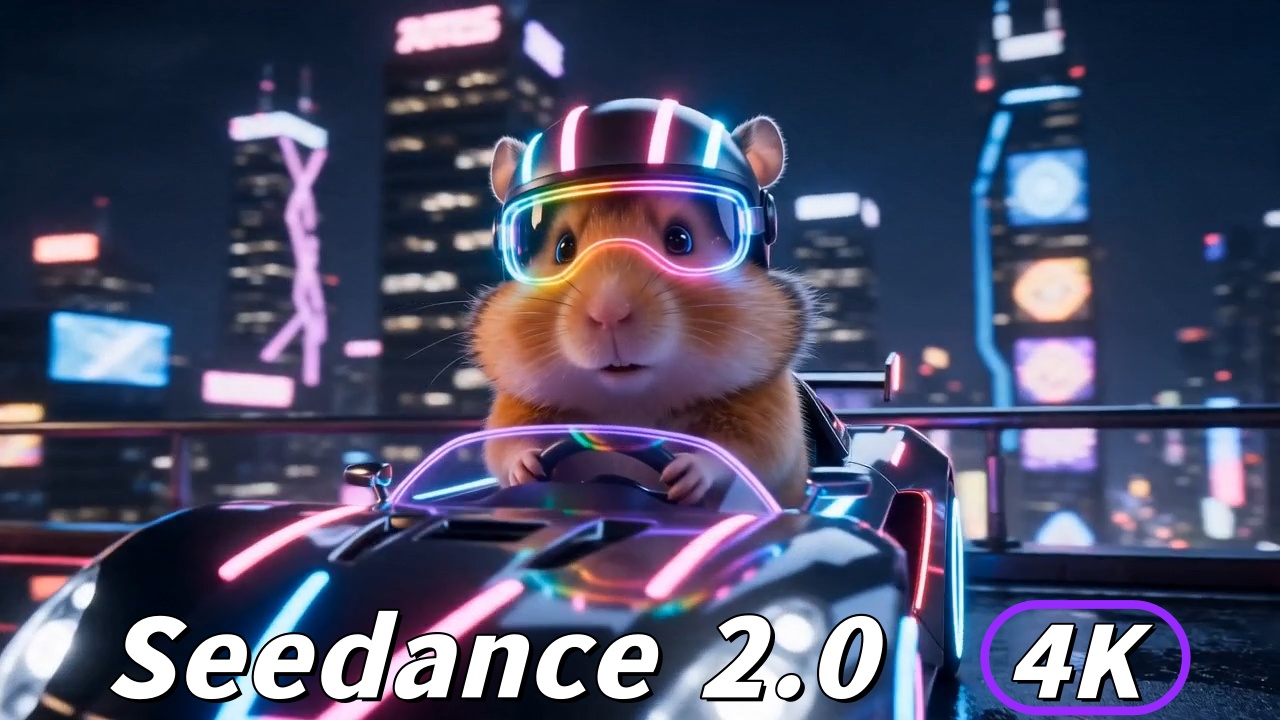
Seedance 2.0 4K is no longer a rumor or a roadmap promise — it is a shipped upgrade. On June 23, 2026, ByteDance announced at its Volcano Engine FORCE Conference that Seedance 2.0 officially supports native 4K resolution output, closing what was previously one of its biggest gaps against professional production pipelines. Before this update, Seedance 2.0 topped out at 1080p, and creators who needed 4K deliverables had to rely on third-party AI upscaling tools like Topaz Video AI. With Seedance 2.0 4K, that workaround is now optional rather than mandatory. It is worth noting the context: even before the 4K upgrade, the model behind Seedance 2.0 4K already ranked #1 on the independent Artificial Analysis Video Arena for both text-to-video and image-to-video, based on blind human-preference voting. This guide covers what changed, what native Seedance 2.0 4K means for your workflow, the full specs, how it compares to rivals, and how to export your generations at full 4K quality.
What Is Seedance 2.0? A Quick Refresher
Before diving into the Seedance 2.0 4K specs, it helps to understand what makes Seedance 2.0 distinctive in the first place. Developed by ByteDance under the Volcano Engine brand, Seedance 2.0 is a unified multimodal audio-video generation model. Unlike most competitors that generate silent video and layer audio in post, Seedance 2.0 4K co-generates visuals and audio in a single pass — matching dialogue, sound effects, and ambient audio to on-screen action without a separate step.
Key capabilities of Seedance 2.0 include:
Native joint audio-video generation — sound and picture generated together, not stitched
Multi-language lip-sync — phoneme-level accuracy across the supported languages
Multi-shot character consistency — the same character stays visually coherent across cuts
Reference mode — ground generations in up to 12 of your own uploaded images, video clips, and audio
Camera control — prompt-directed camera movement (pan, dolly, crane, and more), steerable with @ tagging
Top-ranked quality — #1 on the Artificial Analysis Video Arena for text-to-video and image-to-video (blind human-preference votes)
Resolution — now upgraded to native 4K (as of June 2026)
You can try all of these features directly on Seedance 2.0.
Seedance 2.0 4K: What the Native Resolution Upgrade Actually Means
Native 4K vs. Upscaled 4K — The Core Difference
“4K” is a widely used term, and understanding the gap matters if you are making purchasing or workflow decisions around Seedance 2.0 4K.
Upscaled 4K means the model generates at a lower resolution — typically 720p or 1080p — and then an algorithm enlarges the image to 3840×2160 pixels. The pixel count is technically correct, but the original detail was never there. You are interpolating, not recovering. Upscaling can look quite good, especially with modern AI tools like Topaz Video AI, but fine textures, sharp edges in fast motion, and subtle facial detail will always show the ceiling of the original resolution.
Native 4K means the model generates Seedance 2.0 4K output at 3840×2160 from the start. Every pixel is an original output of the diffusion process, not an estimate. Fine fabric weave, hair strands, environmental texture, and the edges of fast-moving objects are resolved directly rather than inferred. The Seedance 2.0 4K upgrade delivers native 4K, not upscaled — which is exactly why it matters for large-screen content like TV spots, digital billboards, cinema previews, and conference-scale pitch decks.
When you compare Seedance 2.0 4K vs 1080p side by side, the gap is most obvious where upscalers struggle: high-frequency detail and clean edges. That is the practical meaning of “native.”
Why It Matters for Professional Workflows
Professional video production has a few hard rules, and the Seedance 2.0 4K upgrade speaks directly to them. Broadcasters require 4K master files for prestige content. YouTube tends to favor 4K uploads in terms of perceived quality and viewer experience. Agencies delivering to OOH (out-of-home) screens or large-format digital displays often have minimum-resolution requirements written into client contracts.
Before the Seedance 2.0 4K upgrade, creators had two imperfect options: accept 1080p and risk a rejection from the production supervisor, or run every clip through a separate upscaler at extra time and tool cost. Native Seedance 2.0 4K eliminates that second step. With Seedance 2.0 4K you generate once, export once, and deliver. It also gives you headroom to crop, reframe, and color grade without the image falling apart — because the resolution is real, not invented after the fact.
Seedance 2.0 4K Full Specs (June 2026)
Spec | Detail |
|---|---|
Max resolution | Native 4K (3840×2160) |
Previous ceiling | 1080p (some platforms reported at 720p before June 2026) |
Max clip length | Up to 15 seconds (Jimeng/Dreamina web); up to 10 seconds (Doubao App) |
Frame rate | Up to 60fps |
Audio | Native joint generation (synced to video in one pass) |
Lip sync | Phoneme-level, multi-language |
Languages | 8: English, Chinese (Mandarin/Cantonese), Japanese, Korean, Spanish, French, German, Portuguese |
Reference inputs | Up to 12 assets: 9 images, 3 video clips (≤15s each), 3 audio clips (≤15s each) |
Camera control | Prompt-directed (pan, dolly, tilt, crane), @ tagging |
Character consistency | Multi-shot, within and across cuts |
Leaderboard rank | #1 on Artificial Analysis Video Arena (text-to-video and image-to-video), blind human-preference voting |
Safeguards | Watermarking and IP guardrails (added after March 2026 rights-holder pressure; includes real-face upload restrictions) |
Pricing model | Credit-based; higher resolution costs more credits per second |
Note on pricing: Native Seedance 2.0 4K generations use more credits than 1080p equivalents. Current credit costs are listed on the Seedance 2.0 platform.
Seedance 2.0 4K vs. Upscaling: When to Use Each
Even with Seedance 2.0 4K now available natively, third-party upscaling has not become irrelevant. The right answer depends on your use case.
Use Seedance 2.0 Native 4K When:
Your deliverable requires 4K master files — broadcast, agency submission, or a YouTube premiere
You need fine texture detail — product shots with fabric, skin, or material that must resolve cleanly
You are projecting at large scale — trade-show displays, cinema, or outdoor screens
You are color grading in post — native Seedance 2.0 4K gives more pixels to work with before compression artifacts set in
Use AI Upscaling (e.g., Topaz) When:
You are on a tight budget — 1080p generation costs fewer credits; local upscaling is a one-time software cost
Your content is mainly social — TikTok, Reels, and X compress aggressively, so native 4K offers diminishing returns
You are iterating quickly — draft at 1080p, then re-generate the approved version at native Seedance 2.0 4K
You need extra frame interpolation — some upscalers can smooth motion beyond what the model outputs natively
The hybrid workflow — draft at 1080p for approval, then re-generate at native Seedance 2.0 4K for final delivery — is a practical way to balance cost against quality.
Try Seedance 2.0 and create 4K video now
How to Export Seedance 2.0 Video in 4K: Step by Step
Step 1: Set Up Your Generation for 4K
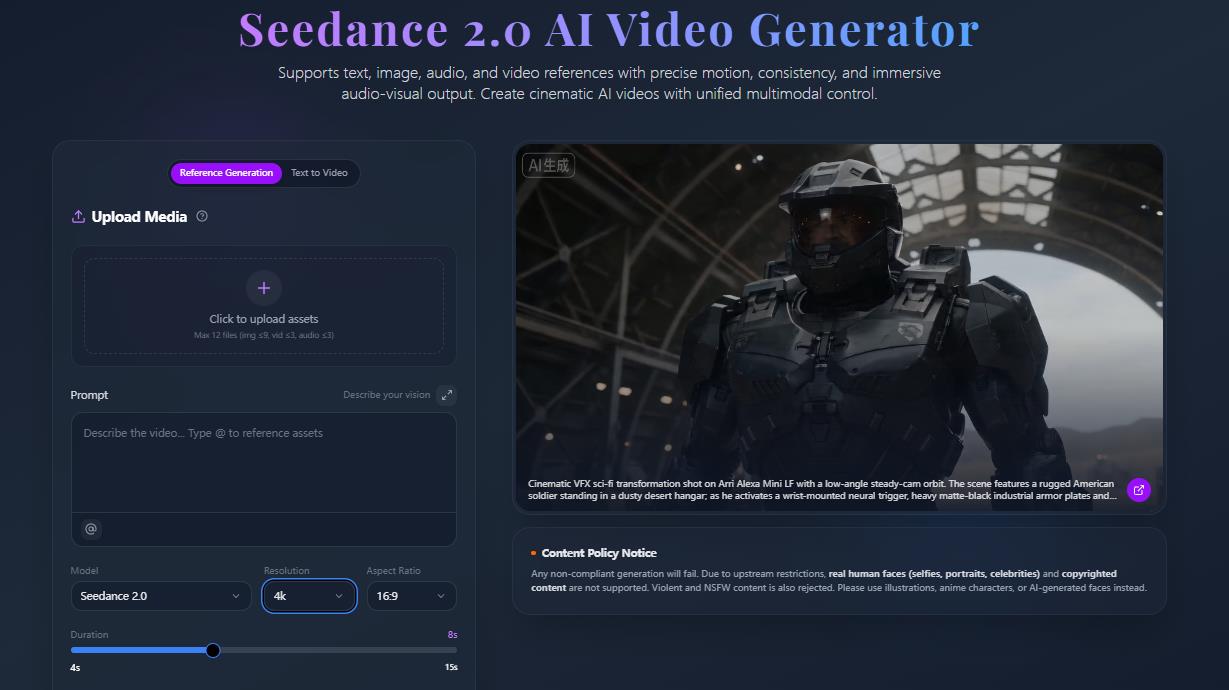
When you open Seedance 2.0, select 4K as your output resolution before writing your prompt. This is a prerequisite — you cannot switch to native Seedance 2.0 4K after generation; you have to choose it at the start. Then set clip length (up to 15 seconds on Jimeng web, up to 10 seconds on Doubao App), audio on or off, and reference mode if you want the generation grounded in specific visual or sonic style.
Step 2: Write a 4K-Optimized Prompt
Higher Seedance 2.0 4K resolution means more visible detail, which means prompt quality matters more. Vague prompts at 4K produce visibly mediocre results because there are more pixels to fill. Be specific about:
Subject detail: “a close-up of aged leather wallet stitching”
Lighting: “golden-hour side-lighting, hard shadows”
Camera: “slow push-in, shallow depth of field, anamorphic lens flare”
Environment: “urban rooftop, Tokyo, overcast sky, wet concrete”
The more specific your prompt, the more effectively Seedance 2.0 4K uses all 8.3 million pixels of a 4K frame.
Step 3: Anchor Identity With References
If a hero product, character, or logo must stay consistent, upload clean reference images and use @ tagging to lock them. Strong references are what let Seedance 2.0 4K hold faces, clothing, and brand details steady across a multi-shot sequence.
Step 4: Review and Approve
After generating your Seedance 2.0 4K clip, preview it and check subject consistency from first frame to last, audio sync if sound is on, motion artifacts in fast-moving elements, and edge sharpness on fine details. Credits allow iteration — do not approve a clip that is 80% right when a prompt tweak could get you to 100%.
Step 5: Export and Finish
When you export your Seedance 2.0 4K clip, select:
Resolution: 4K (3840×2160)
Format: MP4 (H.265/HEVC recommended for 4K) or ProRes if your pipeline requires it
Frame rate: match your project (commonly 24fps for cinematic, 30fps for commercial/social)
Keep your edit timeline at 4K, color grade before delivery, and export at a high bitrate — H.265 at 4K looks superb at higher bitrates but can show banding in dark gradients when starved. Downscaling midway throws away the resolution you just paid for.
Seedance 2.0 4K vs. Competitors: How Does It Stack Up?
Model | Native 4K | Native audio | Reference inputs | Max clip | Notes |
|---|---|---|---|---|---|
Seedance 2.0 | ✅ Yes (June 2026) | ✅ Yes | Up to 12 (image/video/audio) | 15s | #1 on Artificial Analysis Video Arena (T2V & I2V) |
Veo 3.1 (Google) | ✅ Yes | ✅ Yes | 3 reference images | 8s | Strong realism; limited reference capacity |
Kling 3.0 | ✅ Yes (60fps) | ✅ Via “Omni” variant | — | 15s | Native 4K with a globally available API |
Sora 2 (OpenAI) | — | — | — | — | App discontinued Apr 2026; API ends Sep 2026 |
The standout signal for Seedance 2.0 4K is third-party validation: on the independent Artificial Analysis Video Arena, which ranks models by blind human-preference votes, Seedance 2.0 4K’s underlying model currently sits at #1 for both text-to-video and image-to-video — ahead of Veo 3.1 and Kling 3.0. On top of that quality lead, its biggest practical differentiator is reference capacity. Veo 3.1 also offers native 4K and native audio, but it accepts only three reference images, whereas Seedance 2.0 4K takes up to 12 multimodal references — images, video, and audio combined. Kling 3.0 is a strong rival with native 4K at 60fps and a globally available API (with audio available through its “Omni” variant), but it does not match that reference depth. Runway has since moved to its Gen-4.5 generation, and OpenAI’s Sora is winding down. For reference-driven production, where a specific product, face, or motion style must stay locked across shots, the wider input system is what changes your day-to-day results. This category moves fast, so always confirm a competitor’s current specs before relying on them.
Who Should Use Seedance 2.0 4K?
Brand and agency producers who need Seedance 2.0 4K master files for client deliverables without running every clip through a separate upscaler. The native audio also cuts steps between generation and final delivery, and the model keeps brand details consistent across a multi-shot sequence.
YouTube creators targeting 4K upload quality for viewer experience. Seedance 2.0 4K reference mode helps maintain visual consistency across episodes or a series.
Short-form creators who want premium production value for Reels and TikTok. Even though platforms compress output, starting from native Seedance 2.0 4K means your content degrades more gracefully than starting from 1080p.
Product marketers who need Seedance 2.0 4K video assets before physical production begins — pre-launch campaigns, investor decks, or A/B creative tests. Native 4K means the footage holds up in large-format preview contexts.
Frequently Asked Questions
Does Seedance 2.0 generate true native 4K or is it upscaled?
As of the June 2026 Volcano Engine FORCE Conference upgrade, Seedance 2.0 4K is native (3840×2160). The model produces every pixel directly through its diffusion process rather than enlarging a lower-resolution output. Seedance 2.0 4K is a genuine resolution upgrade, not an algorithmic post-process.
What was Seedance 2.0’s resolution before the 4K upgrade?
Before June 2026, Seedance 2.0 supported a maximum of 1080p, with some platforms reported at 720p. Creators who needed 4K had to use third-party AI upscaling tools such as Topaz Video AI after generation.
How long can a Seedance 2.0 4K clip be?
A single generation runs up to 15 seconds (Jimeng/Dreamina web interface) or up to 10 seconds (Doubao App), at up to 60fps. For longer pieces, generate connected shots and assemble them in an editor.
Does generating in 4K cost more credits than 1080p?
Yes. Seedance 2.0 uses credit-based pricing, and higher resolution uses more credits per second. Check current costs on the Seedance 2.0 page before choosing your resolution.
Seedance 2.0 4K vs Veo 3.1 — which is better?
Both offer native 4K and native audio. Veo 3.1 accepts three reference images, while Seedance 2.0 4K accepts up to 12 multimodal references (image, video, and audio), giving it stronger reference control for consistent, multi-shot production. On the independent Artificial Analysis Video Arena, Seedance 2.0 currently ranks #1 for both text-to-video and image-to-video based on blind human-preference voting, ahead of Veo 3.1.
Can I use Seedance 2.0 for broadcast television?
Native Seedance 2.0 4K output meets the resolution minimum for most broadcast specs. Still verify full delivery requirements with your broadcaster — frame rate, color space, audio codec, and bitrate minimums vary by network and region.
What is the difference between Seedance 2.0 and Seedance 2.5?
Seedance 2.0 is available now and includes the native Seedance 2.0 4K upgrade announced in June 2026. Seedance 2.5 was previewed at the same event and is expected to launch in early July 2026 with around 30-second single-pass generations and up to 50 multimodal reference inputs.