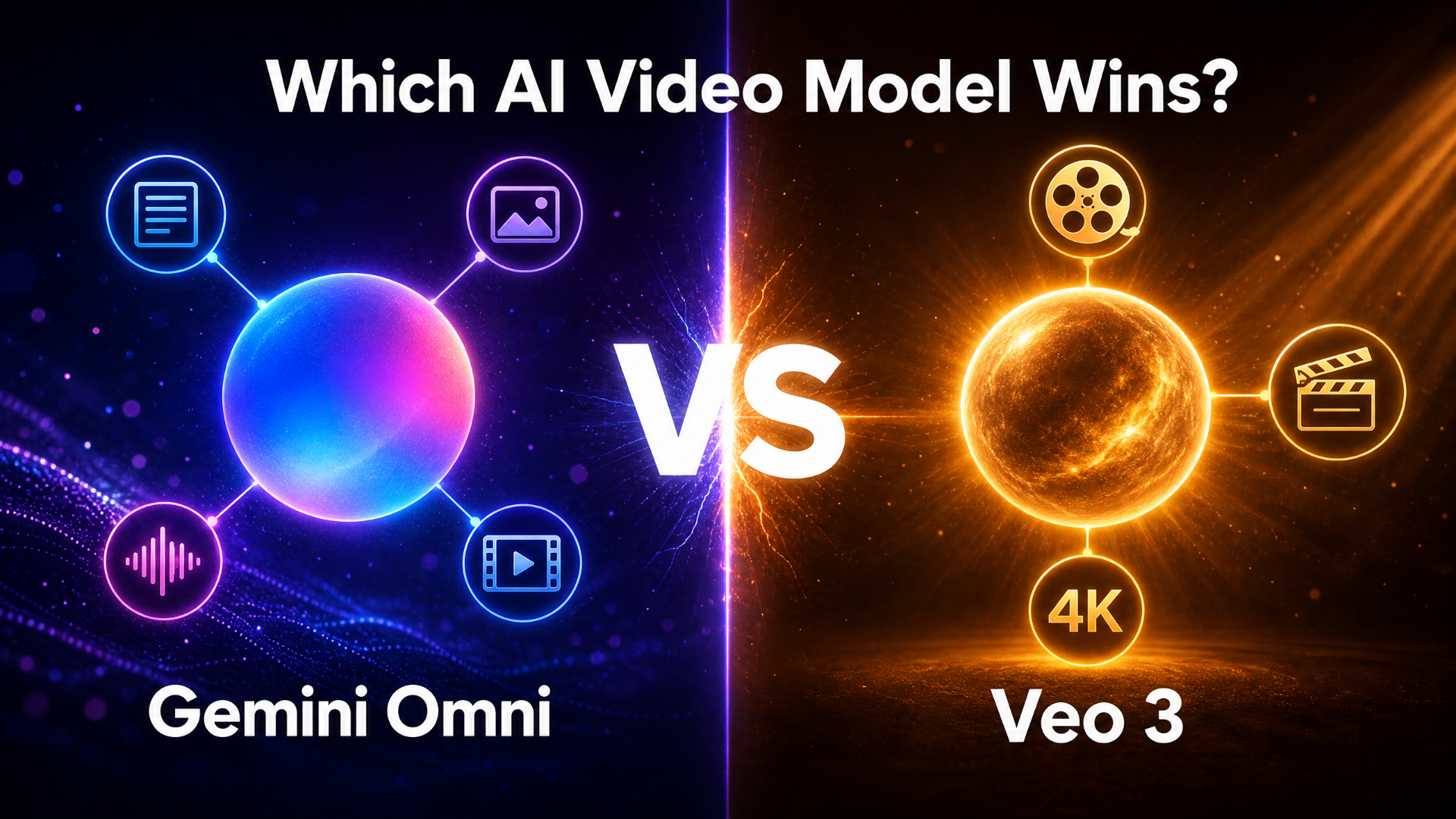
Gemini Omni vs Veo 3 is one of the most searched comparisons in AI video generation right now — and for good reason. Both models come from Google DeepMind, both generate high-quality video, and both arrived within months of each other in 2025–2026. But they are built on fundamentally different design philosophies, and choosing between them depends entirely on how you create.
Veo 3 (with the latest Veo 3.1 release) is Google’s dedicated cinematic text-to-video model — a specialist built for maximum visual quality, native audio generation, and short-form clips with extend-to-longer-narrative workflows. Gemini Omni is a unified multimodal AI system — a generalist that accepts text, image, audio, video, and sketch inputs simultaneously, and refines results through multi-turn conversation. One is a precision instrument; the other is a complete creative studio.
This guide covers every major dimension of the Gemini Omni vs Veo 3 comparison: architecture, video quality, audio, editing workflow, prompts, pricing, API access, and ideal use case — so you can make an informed decision in 2026.
New to either model? Read our What Is Gemini Omni guide first for full context.
TL;DR: Veo 3.1 wins on raw cinematic output quality, resolution ceiling (up to 4K), and extend-based long-form workflows. Gemini Omni wins on workflow flexibility, multimodal input, multi-turn editing, and world knowledge. Most creators will benefit from both.
Dimension | Gemini Omni Flash | Veo 3 / Veo 3.1 |
|---|---|---|
Core design | Unified multimodal system | Dedicated video generation model |
Video generation | ✅ Native | ✅ Native |
Native audio | ✅ | ✅ |
Native clip length | ~10 seconds per turn (deployment cap) | 4, 6, or 8 seconds (extendable to ~148s via chain) |
Multi-turn editing | ✅ | ❌ |
Multimodal input | Text + image + audio + video + sketch | Text + image (Ingredients to Video) |
World knowledge | ✅ (via Gemini) | Limited |
Sketch-to-video | ✅ | ❌ |
Resolution | High-resolution (Google official) | Up to 4K via upscaling (native 1080p) |
Public API | Coming in weeks (May 2026) | ✅ Gemini API + Vertex AI |
Pricing | Google AI subscription | Google One AI Premium / Vertex AI per-second |
👉 Try Gemini Omni Video Generation on JXP — Start Free
Architecture: Specialist vs Generalist
The most important thing to understand about the Gemini Omni vs Veo 3 comparison is that these are not competing versions of the same model — they’re different architectural bets.
Veo 3: The Specialist
Veo 3 is a diffusion-transformer model trained specifically for video generation. Its entire architecture is optimized for one output type: high-quality video with synchronized audio. As Google DeepMind describes it, Veo generates cinematic video with audio — full stop.
This specialization pays dividends in output quality. Veo 3.1 produces some of the most photorealistic, temporally consistent AI video currently available. Character appearance, lighting continuity, and realistic physics are all areas where the dedicated model excels because every parameter in its architecture serves a single purpose.
Gemini Omni: The Generalist
Gemini Omni Flash is built on an entirely different premise. Rather than optimizing for one output type, it natively understands and generates across all modalities — text, image, video, and audio — within a single unified transformer-based model. This is where Gemini’s reasoning capability enters: Gemini Omni doesn’t just pattern-match to visual styles, it understands what it’s generating and why.
The cost of generalization is that Gemini Omni Flash currently produces shorter clips per turn (capped at approximately 10 seconds at launch, which Google describes as a deployment decision rather than a model constraint). The benefit is everything else: multi-turn editing, sketch-to-video, reference-based control, and world-knowledge-grounded generation that no dedicated video model can replicate.
Video Quality and Resolution
On raw output quality, Veo 3.1 leads. This is the straightforward answer, and most hands-on comparisons reach the same conclusion.
Veo 3.1 Quality Strengths
Veo 3.1 generates video natively at 1080p and can be upscaled to 4K resolution through Google’s state-of-the-art upscaling capability, introduced in January 2026. It supports both 16:9 widescreen and native 9:16 vertical formats, making it suitable for everything from YouTube to Shorts without a separate crop workflow.
For cinematically demanding content — dramatic lighting, complex crowd scenes, realistic human movement — Veo 3.1 is the current benchmark. The native 1080p output is described by Google as “sharper, cleaner video perfect for editing,” and the 4K upscaling targets professional and broadcast-ready use cases.
Gemini Omni Quality Strengths
Gemini Omni Flash produces high-resolution video with synchronized audio, per Google’s official Gemini Omni Flash model card. For most social media, marketing, and explainer use cases, this is more than sufficient.
Where Gemini Omni closes the quality gap is in content accuracy. Because it draws on Gemini’s world knowledge, it generates scientifically, historically, and contextually accurate video — a type of quality that resolution alone cannot measure. A 4K clip with anatomically incorrect protein folding is lower quality for an educator than a high-resolution clip that gets the science right.
Native Audio: How They Compare
Both Gemini Omni and Veo 3 generate native audio — but they handle it differently, and this is one of the most practically important dimensions of the Gemini Omni vs Veo 3 comparison.
Veo 3 Audio
Veo 3 was the first major AI video model to generate fully synchronized audio natively — including dialogue, sound effects, and ambient sound — from a single text prompt. This represented a genuine step change from tools that require separate post-production audio workflows.
Veo 3.1 improved on this with tighter audio-visual synchronization, more natural dialogue rendering, and 48kHz synchronized output. For short-form content creators who want cinematic clips with zero audio post-production, this is a significant practical advantage.
Gemini Omni Audio
Gemini Omni takes a different approach: audio is a reference input as much as an output. You can provide an audio clip and instruct Gemini Omni to synchronize specific visual events to it — a level of audio-visual control that Veo 3’s text-only audio generation cannot match.
The harp-synchronized bioluminescent plant example from Google’s official demo illustrates this: the audio timing drives the visual events, creating a precise correspondence between sound and image that goes beyond what automatic native audio generation can produce.
For creators who need audio generated, Veo 3 leads. For creators who need audio controlled, Gemini Omni leads.
Editing Workflow: Multi-Turn vs One-Shot
This is the dimension that most clearly separates the Gemini Omni video generator from Veo 3 for professional and iterative creative workflows.
Veo 3: One-Shot Generation with Extend
Veo 3 is primarily a one-shot generation model. You write a prompt, it generates a clip (4, 6, or 8 seconds). If you want to change something — a background, a character, a camera angle — you write a new prompt and generate a new clip. To create longer narratives, you use Veo’s Extend feature, which adds 7-second continuations to existing clips, chainable up to approximately 148 seconds total. Google Flow adds a timeline-based editing layer on top, allowing you to sequence and arrange clips, but the generation step itself remains prompt-in, video-out.
This workflow is highly efficient when your prompt is precise and your first output is close to what you want. For experienced prompt writers, Veo 3.1’s output quality means you often nail it in one or two attempts.
Gemini Omni: Conversational Multi-Turn Editing
Gemini Omni’s defining workflow advantage is multi-turn conversational editing. Each prompt builds on the previous output — you don’t regenerate from scratch, you refine. The violinist demo from Google’s official showcase captures this precisely: three consecutive instructions (change environment → remove violin → shift camera angle) each stacked without breaking the established scene.
This is a fundamentally different creative process — closer to directing a collaborator than operating a generator. For projects where output needs to evolve through multiple decisions, multi-turn editing is a significant productivity and creative advantage.
Which Editing Workflow Is Right for You?
Use Veo 3.1 if your creative brief is clear, your prompts are precise, and you want maximum quality from each generation.
Use Gemini Omni if you develop ideas iteratively, need to refine outputs through conversation, or are working on multi-element scenes where different components require independent adjustments.
👉 Experience Multi-Turn Video Editing on JXP — No Waitlist
Multimodal Input: Text-Only vs Everything
Veo 3.1 primarily accepts text prompts and image references (the “Ingredients to Video” feature lets you provide reference images for character and environment consistency). Gemini Omni accepts text, images, video clips, audio files, and hand-drawn sketches — any combination, in the same prompt.
This distinction matters most for:
Reference-Based Style Control
Gemini Omni lets you provide a reference image to define environment, character, or visual style and combine it with a text prompt describing the action. Veo 3.1’s Ingredients to Video offers similar control for character consistency, but Gemini Omni extends this to audio, video, and sketch references in the same prompt.
Motion Transfer
Gemini Omni can extract motion patterns from a reference video and apply them to a completely different subject — the whale-to-reflective-material example demonstrates this capability. Veo 3.1 does not support direct motion transfer from uploaded clips.
Sketch-to-Video
Gemini Omni accepts hand-drawn sketches as motion guides, translating rough storyboard drawings into polished footage. This is a unique capability with no equivalent in Veo 3.1, and it opens Gemini Omni AI video generation to a storyboarding and previsualization workflow that filmmakers and animators will find genuinely useful.
Prompts: Different Models, Different Prompt Styles
The two models also reward different prompt styles.
Veo 3.1 Prompt Style — Cinematic Specification
Veo 3.1 prompts work best when you write like a cinematographer specifying every visual detail:
“Wide cinematic shot of a vintage red Vespa weaving through rainy Rome streets at dusk, anamorphic lens, neon café signs reflecting in puddles, slow-motion water spray, shallow depth of field, 24fps.”
Veo 3.1 rewards lens references, fps callouts, lighting specifications, and film-stock language. Native audio cues like “sound of rain” or “narrator explaining” can be included directly in the prompt and the model will generate matched audio.
Gemini Omni Prompt Style — Director-Style Iteration
Gemini Omni prompts work best when you write like a director giving step-by-step instructions:
Turn 1: “A 10-second cinematic shot of a violinist performing in a recording studio.”
Turn 2: “Transport the violinist to a meadow.”
Turn 3: “Make the violin invisible, but keep the bowing motion.”
Gemini Omni rewards conversational, iterative direction — change one element per turn, build the scene over multiple instructions, and reference what to preserve or exclude.
World Knowledge: The Gemini Advantage
This is Gemini Omni’s most unique differentiator in the Gemini Omni vs Veo 3 comparison — and it’s one that raw benchmark scores don’t capture.
Gemini Omni draws on Gemini’s training across history, science, biology, literature, and cultural context. When you ask it to generate a “claymation explainer of protein folding” and add “accurate” to the prompt, it doesn’t just produce a visually plausible animation — it produces one that represents the biochemistry correctly. When you add “Don’t add seahorses” to a hippocampus explainer, it understands the anatomical reference (hippocampus = Greek for seahorse) and respects the constraint.
Veo 3.1 is a video generator. It produces visually impressive output based on the patterns in its training data, but it doesn’t reason about the content of what it generates in the same way.
For educators, explainer creators, science communicators, and anyone whose content requires factual accuracy, Gemini Omni’s world knowledge is a substantial quality advantage that 4K resolution cannot compensate for.
Pricing and Access
Veo 3 / Veo 3.1 Pricing and Access
Google One AI Premium — $19.99/month, includes access via the Gemini app and Veo 3.1 Fast in Google Flow
Google AI Ultra — $249.99/month, includes higher generation credits and premium Veo tiers
Gemini API and Vertex AI — available to developers; Veo 3.1 Standard at $0.40/sec, Veo 3.1 Fast at $0.15/sec, Veo 3.1 Lite at $0.05–$0.08/sec (launched March 31, 2026)
Free tier — Veo 3.1 Fast available through Google Labs and YouTube Shorts in select regions
Gemini Omni Flash Pricing and Access
Google AI Plus / Pro / Ultra subscriptions — access via the Gemini app, Google Flow, and YouTube Shorts/YouTube Create
Free access for YouTube Shorts and YouTube Create users at launch
Public API — Google has stated developer and enterprise API access is “coming in the weeks following the May 19, 2026 launch”; expected to roll out through Google AI Studio and Vertex AI
Access Right Now
Access to both models through Google is gated by subscription tier and regional rollout. If you want to try Gemini Omni-style AI video generation immediately — without a Google subscription or regional waitlist — JXP offers the same multimodal workflow with no barriers to entry.
Gemini Omni vs Veo 3: Which Should You Choose?
Choose Veo 3.1 if you:
Need maximum cinematic quality and 4K resolution output
Are producing cinematic short films, brand spots, or high-production-value content
Work with precise, well-developed prompts and want one-shot generation
Need extended narratives via the Extend workflow (up to ~148 seconds chained)
Require a public API for production deployment right now (Gemini API + Vertex AI)
Choose Gemini Omni if you:
Work iteratively and develop ideas through conversation
Need multimodal inputs — reference images, audio clips, sketches — to guide your output
Are creating educational, scientific, or culturally-specific content that requires factual accuracy
Want to edit video without regenerating from scratch every time
Need motion transfer, style transfer, or sketch-to-video capabilities
Use Both if you:
Are building a professional video production workflow in 2026
Want Veo 3.1’s cinematic quality for hero shots and Gemini Omni’s iterative editing for scene development
Are building a product that requires both high-quality generation and flexible multimodal control
Key Takeaways
Gemini Omni vs Veo 3 is not a winner-takes-all comparison — they serve different creative needs
Veo 3.1 leads on raw cinematic quality, 4K upscaling, extend-based long-form workflows, and public API availability today
Gemini Omni leads on multimodal input, multi-turn conversational editing, world knowledge, sketch-to-video, and motion transfer
Both models generate native audio, but with different approaches: Veo 3 auto-generates it, Gemini Omni lets you control it with reference audio
For creators who need to iterate and refine, Gemini Omni’s workflow is significantly more efficient
For creators who need production-ready cinematic output from precise prompts, Veo 3.1 remains the benchmark
Frequently Asked Questions
What is the main difference between Gemini Omni and Veo 3?
Veo 3 (and the latest Veo 3.1) is a specialized text-to-video model optimized for cinematic quality, native audio, and short-form clips that can be extended into longer sequences. Gemini Omni is a unified multimodal model that accepts text, images, audio, video, and sketches as inputs and supports multi-turn conversational editing. Veo 3 prioritizes output quality; Gemini Omni prioritizes workflow flexibility.
Which has better video quality — Gemini Omni or Veo 3?
Veo 3.1 currently leads on raw video quality, with native 1080p generation and 4K upscaling for professional workflows. Gemini Omni Flash outputs high-resolution video per Google’s official model card. However, Gemini Omni produces more accurate content for knowledge-intensive subjects, because it draws on Gemini’s world knowledge rather than just visual pattern matching.
Does Veo 3 support multi-turn editing like Gemini Omni?
No. Veo 3 is a one-shot generation model — each prompt generates a new clip. Multi-turn conversational editing, where each instruction builds on the previous output without regenerating from scratch, is a capability unique to Gemini Omni among Google’s AI video models.
How long can Veo 3 clips be?
Veo 3 generates native clips of 4, 6, or 8 seconds. To create longer videos, you use Veo’s Extend feature, which adds 7-second continuations chainable up to approximately 148 seconds total. Veo 3.1 supports the same extension workflow with improved character consistency.
Can I use Gemini Omni and Veo 3 together?
Yes. Google Flow integrates both models into a single filmmaking workflow. You can use Veo 3.1 for high-quality hero clips and Gemini Omni for iterative scene development and multimodal-reference-driven shots, then combine them in Flow’s timeline.
Which model is better for educational content?
Gemini Omni is significantly better for educational content. Its world knowledge enables it to produce scientifically and historically accurate video from domain-specific prompts — something Veo 3 cannot do with the same reliability. For educators and explainer creators, this accuracy advantage outweighs Veo 3’s resolution lead.
Which model has a public API?
Veo 3.1 and Veo 3.1 Lite are available via the Gemini API and Vertex AI. Gemini Omni Flash does not yet have a standalone public API listing as of May 2026, though Google has stated developer and enterprise access will follow “in the coming weeks” after the May 19, 2026 launch.
How can I try Gemini Omni video generation today?
If you don’t have a Google AI subscription or are outside the current regional rollout, JXP offers Gemini Omni-style multimodal video generation — text-to-video, image-to-video, and multi-turn editing — with no subscription required.
👉 Try Gemini Omni vs Veo 3 Capabilities on JXP — Free to Start