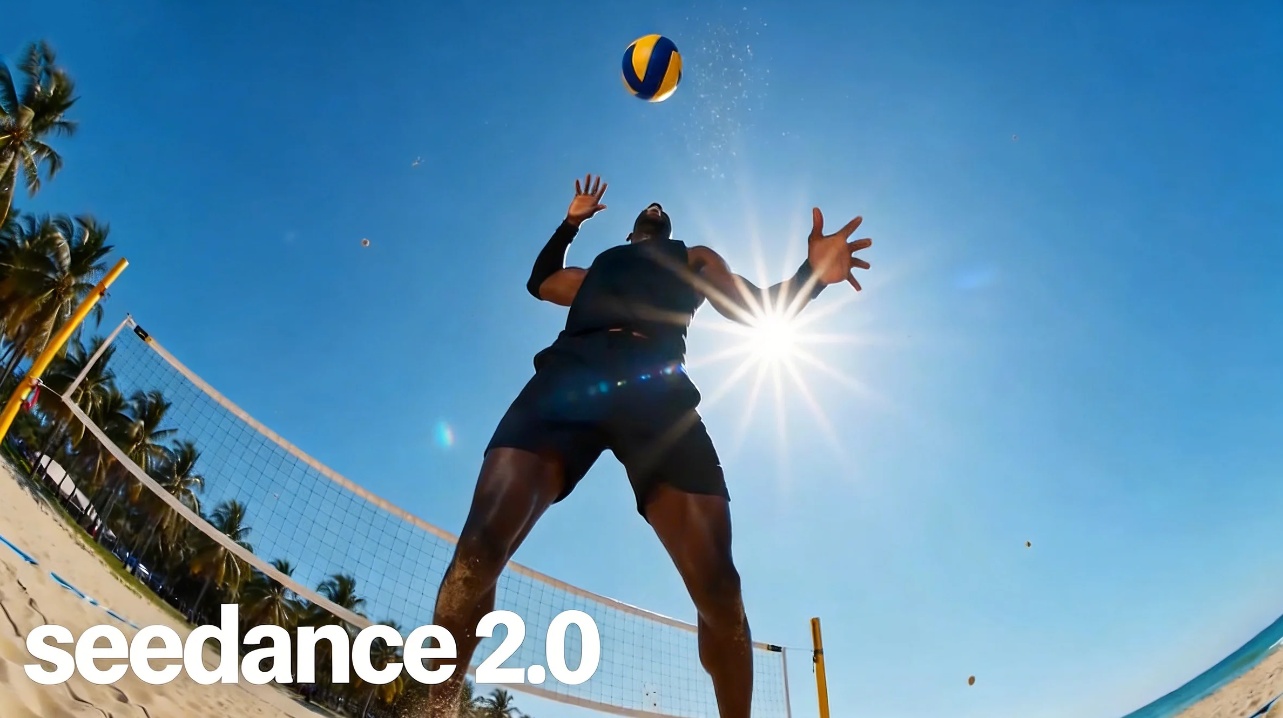
Seedance 2.0 is one of the most powerful AI video generation models available today. Whether you’re a content creator, marketer, or developer, learning how to use Seedance 2.0 can dramatically transform the way you produce video content. With its advanced multimodal input system, physics-based audio generation, and cinematic multi-shot output, Seedance 2.0 sets a new standard for AI-generated video. Ready to see it in action? Try Seedance 2.0 here and experience the difference yourself.
What Makes Seedance 2.0 Different from Other AI Video Tools
Before diving into how to use Seedance 2.0, it’s worth understanding why this model stands out in a crowded market.
Key Capabilities of Seedance 2.0
Seedance 2.0 is built by ByteDance on a unified multimodal audio-video architecture with three core strengths:
Multimodal input flexibility — Seedance 2.0 accepts text, images, video clips, and audio files simultaneously — up to 12 reference assets in a single project — giving creators unprecedented control over the output.
Physics-based audio generation — Sound is generated natively alongside video. Footsteps change tone on marble versus carpet. Dialogue lip-syncs automatically. Ambient sound matches the environment without manual editing.
World ID character consistency — Characters, clothing, facial features, and even on-screen text remain stable across every frame and every shot — eliminating the character drift common in competing models.
How to Use Seedance 2.0: Step-by-Step Tutorial
Using Seedance 2.0 is straightforward once you understand its core workflow. Here’s a practical walkthrough to get your first video generated.
Step 1: Access the Seedance 2.0 Platform
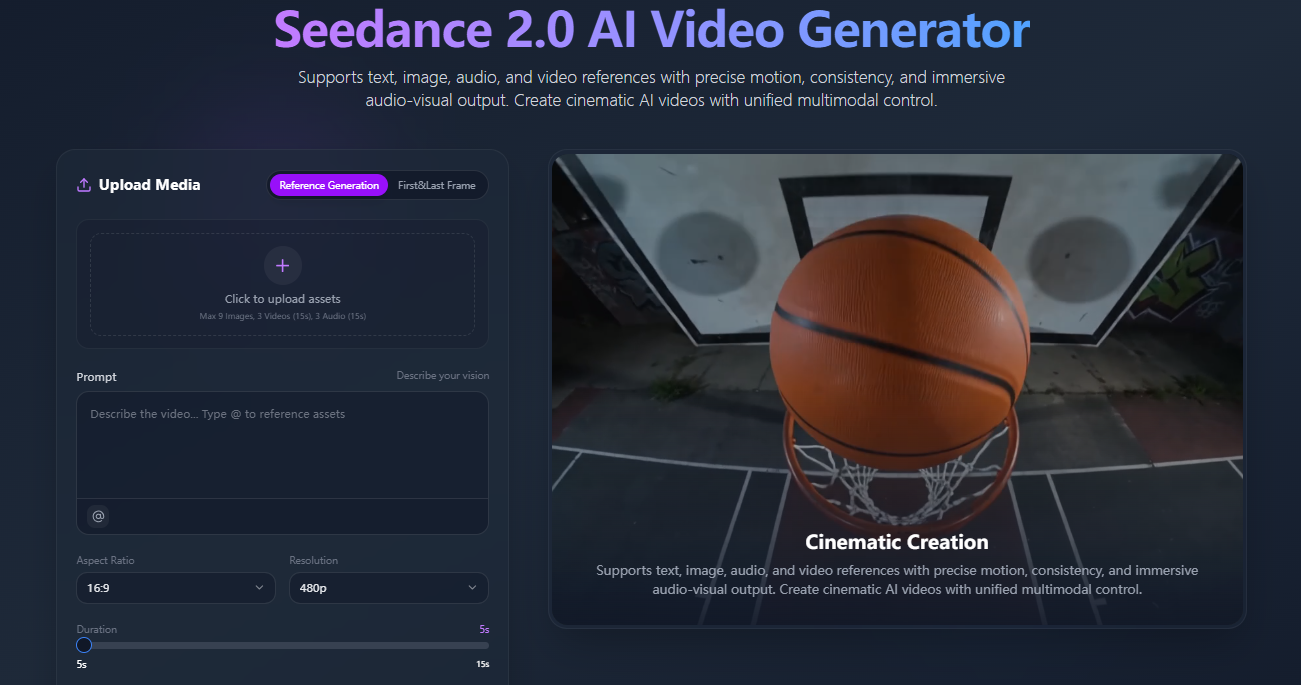
Navigate to the Seedance 2.0 generation interface. You’ll find the mode selector, prompt input field, reference upload area, and parameter controls all on one screen. The interface is designed to be intuitive — no technical background required.
Step 2: Choose Your Generation Mode
Seedance 2.0 offers two primary modes:
Text-to-Video — Enter a descriptive prompt (up to 800 characters) and let the model interpret your vision into motion. This mode works best when you have a clear concept but no source material.
Image-to-Video — Upload a reference image and Seedance 2.0 will animate it, preserving your visual starting point while adding natural movement, camera work, and synchronized audio. This mode is ideal for product shots, portraits, and brand assets.
Step 3: Write an Effective Prompt for Seedance 2.0
Prompt quality directly determines output quality. When using Seedance 2.0, structure your prompt in this order:
Subject — Who or what is in the scene (e.g., “a woman walking through a neon-lit city street”)
Motion — What movement is happening (e.g., “slow-motion walk, hair flowing in wind”)
Audio cues — What you want to hear (e.g., “heels clicking on pavement, city ambience”)
Style — Visual tone (e.g., “cinematic, 1080p, warm color grading”)
Camera — Shot type (e.g., “medium shot, slight dolly-in movement”)
A well-structured prompt gives Seedance 2.0 the context it needs to produce consistent, on-brand results — with audio that actually matches the scene.
Step 4: Upload Reference Assets
This is where Seedance 2.0 separates itself from most competitors. You can upload up to:
9 reference images — for character appearance, style, or scene composition
3 reference videos (up to 15 seconds total) — for motion replication, camera style, or choreography
3 audio files — for voice tone, background music, or ambient sound reference
Simply describe in natural language what you want the model to extract from each reference, and Seedance 2.0 handles the interpretation.
Step 5: Adjust Generation Parameters
Seedance 2.0 allows you to configure several key parameters:
Duration — Generate clips from 4 to 15 seconds
Resolution — Choose 720p or 1080p depending on your output needs
Aspect Ratio — Landscape (16:9), portrait (9:16), square (1:1), cinematic (21:9), and more
Style Mode — Switch between photorealistic, cinematic, animated, or stylized aesthetics
Step 6: Generate and Review
Submit your prompt, references, and parameters. Seedance 2.0 will process your request and return a preview. Review the output for motion smoothness, audio sync, character consistency, and overall visual quality before finalizing.
Use Cases: Where Seedance 2.0 Delivers the Most Value
Marketing and Advertising
Seedance 2.0 excels at producing short-form video ads. Brands can generate product highlight reels, lifestyle visuals, and campaign content without expensive production shoots. The model’s World ID system ensures brand assets remain visually consistent across multiple clips.
Social Media Content
For creators publishing across Instagram Reels, TikTok, or YouTube Shorts, Seedance 2.0’s portrait mode, fast generation cycle, and native audio mean you can produce a week’s worth of polished content in a single session.
E-commerce Product Visualization
Seedance 2.0’s image-to-video capability is particularly powerful for e-commerce. Upload a static product image and transform it into a dynamic video that showcases texture, angle, and detail — complete with synchronized ambient sound — without a studio setup.
Concept Development and Storyboarding
Agencies and creative teams use Seedance 2.0 as a rapid prototyping tool. Generate multi-shot visual concepts in minutes, share with clients for early approval, and refine based on feedback — saving days of pre-production time.
Seedance 2.0 vs the Competition: Full Model Comparison
To truly understand how to use Seedance 2.0 effectively, it helps to see exactly how it stacks up against the top alternatives on the market right now.
Feature Comparison Table
Feature | Seedance 2.0 | Kling 3.0 | Veo 3.1 | Sora 2 |
|---|---|---|---|---|
Developer | ByteDance | Kuaishou | Google DeepMind | OpenAI |
Max Resolution | 1080p (2K on select platforms) | Native 4K | 1080p (4K upscale) | 1080p |
Max Clip Duration | 15 seconds | 15 seconds | 8s base / 60s+ via extend | 12 seconds |
Native Audio | ✅ Physics-based audio-video joint generation | ✅ Omni Native Audio, multilingual | ✅ Dialogue, SFX, ambient | ✅ Synchronized dialogue & SFX |
Input Modes | Text + Image + Video + Audio (all 4 simultaneously) | Text + Image + Video | Text + Image + Video | Text + Image |
Multi-Shot Support | ✅ Multi-shot narrative in single pass | ✅ AI Director multi-shot storyboard | ✅ Via Scene Extension | ✅ Multi-shot consistency |
Character Consistency | ✅ World ID — stable across all frames | ✅ Elements system, multi-character | ✅ Improved across extended sequences | ⚠️ Works in short bursts, unproven at scale |
Reference Asset Uploads | Up to 12 assets (9 images + 3 videos + 3 audio) | Multi-image + video reference | Up to 3 reference images | Cameo (real-world video insert) |
Physics Simulation | ✅ Full physics priors (gravity, collision, inertia) | ✅ Real-world physics logic | ✅ Strong physics adherence | ✅ Best-in-class physics realism |
Availability | Broadly available | Ultra subscribers early access | Gemini API (paid), Flow, Vertex AI | Invite-only rollout (iOS/web) |
Best For | Multimodal reference-heavy production | High-volume cinematic content | Enterprise & developer integration | Physics-accurate cinematic shorts |
What the Numbers Tell You
Multimodal input depth is where Seedance 2.0 has a structural advantage. No other model on this list accepts text, images, video, and audio references simultaneously in a single generation workflow. Kling 3.0 comes closest, but Seedance 2.0’s 12-asset limit and natural-language reference control put it in a category of its own for complex, reference-driven production.
Resolution leadership currently sits with Kling 3.0, which generates natively at 4K — a meaningful advantage for print-adjacent or large-screen applications. Veo 3.1 upscales to 4K, while Seedance 2.0 and Sora 2 operate at 1080p as standard, with some platforms reporting 2K output for Seedance 2.0.
Audio quality is now table stakes across all four models — every one of them generates synchronized audio natively. The differentiator for Seedance 2.0 is physics-based audio, where sound properties change based on environmental context (marble vs. carpet footsteps, cathedral reverb vs. open-air ambience) rather than simply being layered on top.
Accessibility favors Seedance 2.0 and Veo 3.1 for teams that need to ship content now. Sora 2 remains invite-only on iOS and web with a gradual regional rollout, while Kling 3.0’s most advanced features are currently limited to Ultra subscribers.
Pro Tips for Getting the Best Results from Seedance 2.0
Use reference videos for complex motion — If you need precise choreography or a specific camera movement style, upload a reference clip and describe what to replicate in natural language. This is faster and more accurate than trying to describe the same movement in text alone.
Layer your reference assets — Combine a character image, a style reference video, and an audio reference file together. Seedance 2.0 synthesizes all three simultaneously, giving you multi-dimensional creative control in a single generation.
Be specific about audio environments — Add contextual details like “recording studio with treated acoustic panels” or “busy street intersection at rush hour” to help Seedance 2.0 generate ambient audio that matches the visual environment.
Iterate on duration and aspect ratio — Run the same prompt at different clip lengths and ratios to find the version that best serves your platform and narrative pacing.
Start Creating with Seedance 2.0 Today
Now that you know exactly how to use Seedance 2.0 — from multimodal reference uploads to parameter control to real-world use cases — and how it compares to the strongest models on the market, the next step is putting it into practice. Seedance 2.0 rewards experimentation: the more reference assets you bring in, the more precisely the model can match your creative vision. Whether you’re generating your first AI video or scaling a content production workflow, start generating with Seedance 2.0 and bring your video ideas to life.