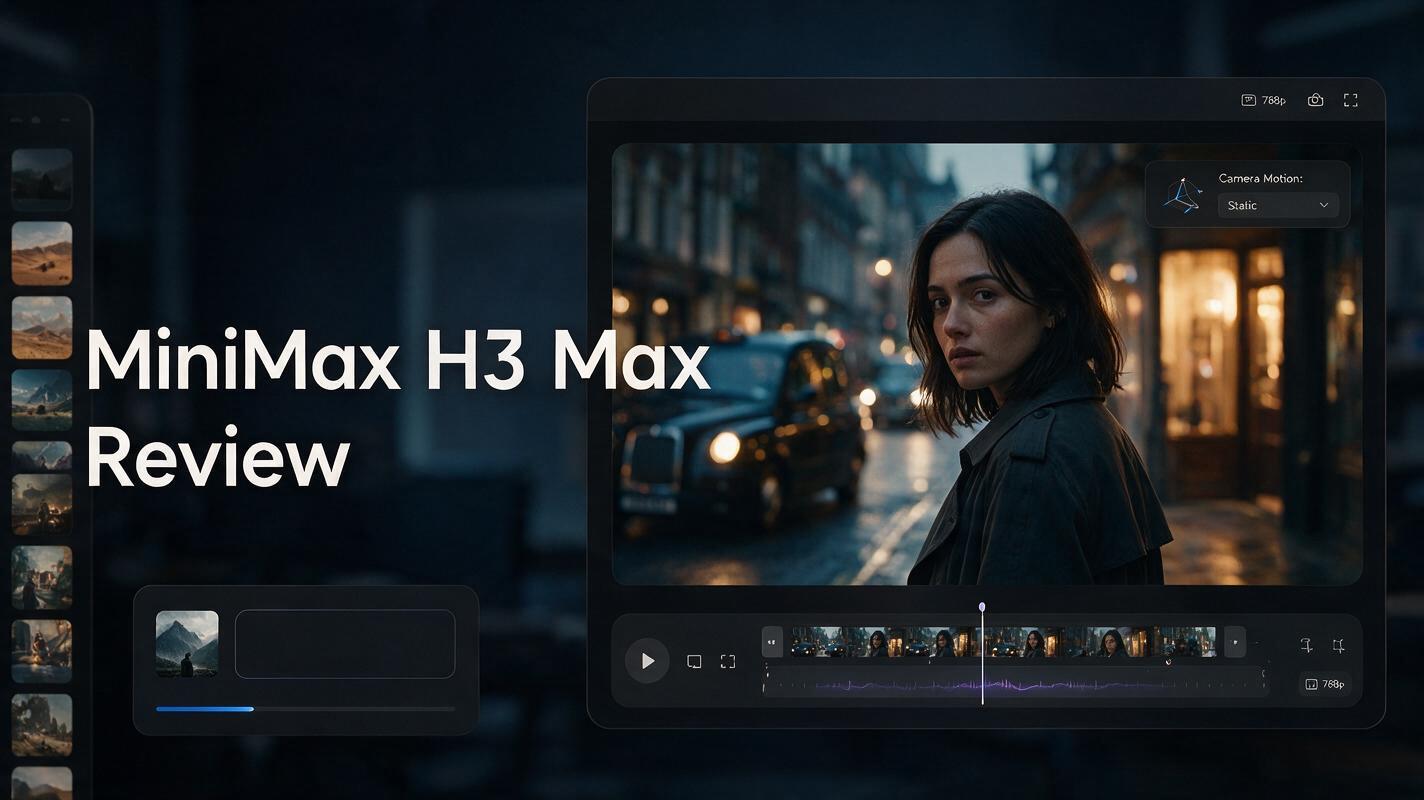
This MiniMax H3 Max Review looks at the model from a different angle. Instead of asking whether MiniMax H3 Max has the highest resolution or the longest feature list, the more useful question is whether it reduces the time and number of attempts needed to get a usable AI video.
That distinction matters. AI video production is rarely a one-generation process — a creator may need to adjust camera movement, simplify an action, repair character consistency, or generate several variations before finding the shot that works. A faster model only becomes useful when that speed is paired with strong prompt adherence and predictable control.
MiniMax H3 Max is designed around exactly that combination. On JXP, it currently supports 5–15 second text-to-video and image-to-video generation, 480p or 768p output, optional end-frame guidance, prompt expansion, and synchronized audio. H3 Max itself is a post-trained variant of the open-weight MiniMax H3 model, with fal focusing its additional training on prompt understanding, aesthetics, and fast inference.
Try MiniMax H3 Max on JXP and turn your next shot brief into video
MiniMax H3 Max Review: Quick Verdict
The short verdict from this MiniMax H3 Max Review is that H3 Max makes the most sense as an iteration-first AI video model.
It’s not the model to choose just because a project demands the highest resolution. Standard MiniMax H3 remains the stronger fit when 2K output or broader multimodal reference workflows are the priority. H3 Max instead focuses on faster 480p and 768p generation, short-form shots, stronger instruction following, first-and-last-frame control, and synchronized audiovisual output.
That makes MiniMax H3 Max particularly interesting for:
advertising concepts and product-video variations;
social video experiments;
cinematic camera tests;
storyboarding and previsualization;
image-to-video animation;
first-and-last-frame transitions;
dialogue scenes with synchronized sound;
rapid prompt testing before committing to a higher-resolution workflow.
The biggest advantage, then, isn’t one spectacular spec — it’s the chance to shorten the loop between idea → generation → review → revision → usable shot.
MiniMax H3 Max Workflow Scorecard
Area | Workflow Fit | Why It Matters |
|---|---|---|
Generation speed | Excellent | Faster iterations make prompt testing practical |
Prompt adherence | Strong | Ordered actions and camera instructions have more value when they survive generation |
Camera control | Strong | Useful for ads, cinematic shots, and previsualization |
Image-to-video | Strong | Start-frame and optional end-frame control make motion more directed |
Synchronized audio | Strong | Reduces separate audio assembly for short concepts |
Character continuity | Good | Useful inside short multi-beat generations |
Maximum resolution | Limited | 768p ceiling is the clearest compromise on JXP |
Long-form production | Limited | A 15-second maximum still requires shot-by-shot construction |
These are qualitative, workflow-oriented ratings based on published specs and prompt behavior described by fal and JXP — not a scored lab benchmark — and they reflect how each capability affects a real creative pipeline rather than a precise measurement.
What Is MiniMax H3 Max?
MiniMax H3 Max is a post-trained version of the open-weight MiniMax H3 video model rather than a completely separate video architecture. The important word is post-trained.
According to fal’s H3 Max launch announcement, it added training focused on prompt adherence and aesthetics, while also optimizing H3 Max’s inference infrastructure. The announcement reported backend inference of roughly 2.5 seconds for a 5-second 768p clip — though queueing, prompt expansion, and interface overhead can still affect real waiting time.
Why “Max” Does Not Mean Maximum Resolution
This is one of the most important points in any MiniMax H3 Max Review. The name can make H3 Max sound like a higher-resolution replacement for standard H3. That is not how the two models are positioned.
On JXP, MiniMax H3 Max currently generates at 480p or 768p, in 5-to-15-second clips, from text or an image, with synchronized audio. Standard MiniMax H3, by comparison, is the model aimed at higher-resolution and broader multimodal workflows, including 2K generation and richer image, video, and audio reference input.
So the real question is not: is H3 Max more powerful than H3 in every way? It is: would faster generation and stronger prompt adherence create more value for this particular workflow than additional resolution and reference flexibility?
MiniMax H3 Max Speed: Why Iteration Matters More Than a Benchmark
Speed is the headline feature, but speed alone isn’t enough. Imagine Model A takes three minutes per clip and usually needs four attempts, while Model B takes 30 seconds but needs twenty. Model B is technically faster per generation but can still mean a slower overall process.
That’s why this MiniMax H3 Max Review focuses on time to usable output, not render time. H3 Max earns its value when three things hold together: fast returns, prompts that are actually understood, and revisions that change one variable without a full rethink.
For creators testing ten camera ideas or five ad variations, that interaction between speed and adherence can matter more than a resolution number.
MiniMax H3 Max Prompt Adherence
Prompt adherence is the second half of the H3 Max speed story — a fast generator that ignores half the brief just lets users fail faster. H3 Max’s post-training specifically targeted prompt understanding and aesthetics, and fal’s own examples emphasize ordered story beats, camera instructions, sound direction, and multi-stage actions.
For practical prompting, this means a MiniMax H3 Max prompt can be structured more like a short production brief than a collection of visual adjectives. A useful formula:
Subject + Action + Environment + Camera + Timing + Lighting + Audio + Constraints
For example:
A woman in a dark green raincoat walks through a neon-lit alley at night. The camera tracks backward at waist height as she approaches, maintaining a medium shot. At 4 seconds she stops beneath a red sign and looks left as a motorcycle passes behind her. Wet pavement, cinematic reflections, shallow depth of field. Sound: light rain, distant traffic, motorcycle engine passing from right to left. No cuts.
The advantage isn’t that every detail is guaranteed — it’s that each instruction has a clear role.
MiniMax H3 Max Camera Control
Camera movement is one of the strongest reasons to test MiniMax H3 Max for short-form production. Generic prompts like “make it cinematic” leave too much undefined — a better camera prompt describes physical behavior: slow dolly forward, tracking shot, orbit around the product, handheld follow, low-angle push-in, crane upward, or a locked static frame. JXP specifically highlights ordered camera direction as a core use case.
MiniMax H3 Max Product Video Prompt
A premium black perfume bottle stands on polished stone in a dark studio. Begin with an extreme close-up of condensation on the glass. Slowly orbit clockwise around the bottle while a narrow white light sweeps across the label. At 5 seconds pull back into a centered product shot as fine mist drifts through the background. High-contrast luxury lighting, realistic reflections, elegant commercial photography. Sound: soft glass resonance, subtle atmospheric bass, quiet mist spray. Keep the bottle shape and label stable.
This kind of prompt gives H3 Max several measurable objectives: direction of orbit, timing, framing change, product stability, lighting behavior, and sound — which makes the result easier to judge than a vague request for “a luxury perfume commercial.”
MiniMax H3 Max Image to Video Review
The MiniMax H3 Max image-to-video workflow may be more useful than text-to-video when appearance is already decided. Instead of asking the model to invent the opening composition, the user supplies a source image, and H3 Max uses that visual as the beginning of the shot.
JXP also supports an optional ending image, which turns the workflow into a first-and-last-frame problem: the opening image defines where the shot begins, the end image defines a destination, and the prompt explains what should happen between them.
MiniMax H3 Max First and Last Frame
This is useful for product opening or assembly, day-to-night transitions, outfit transformations, character pose changes, architectural transitions, storyboard interpolation, and before-and-after visual concepts.
A good first-and-last-frame prompt should avoid wasting words re-describing the supplied images — the visual references already communicate appearance. Instead, describe the transition:
Begin exactly from the supplied first frame. The camera slowly pushes forward while the afternoon sunlight fades into blue hour. Building lights turn on gradually from the lower floors upward. Thin clouds move across the sky and reflections become stronger on the glass facade. Reach the supplied final frame naturally by the end of the shot. Continuous camera movement, no sudden cut. Sound: distant city traffic and soft evening wind.
The important instruction is what changes, not what already exists.
MiniMax H3 Max Native Audio: More Than Background Music
Another practical advantage in this MiniMax H3 Max Review is synchronized audio: JXP says H3 Max can return sound with the picture, with prompts directing dialogue, ambience, music, room tone, and foley — removing a separate assembly step during concept production.
For example:
Medium close-up of a tired chef standing alone in a restaurant kitchen after closing time. He looks at the final plate and quietly says, “One more time.” Slow push-in toward his face. Stainless steel surfaces, warm overhead practical lights, natural cinematic realism. Sound: ventilation hum, distant refrigerator motor, one plate touching the counter, restrained room ambience. No music.
This treats sound as part of scene direction rather than an afterthought — good audiovisual prompts specify where sound belongs. For ads, social clips, and narrative concepts, synchronized audio makes the first draft easier to judge as a complete moment, though final dialogue mixing, licensing, and exact lip-sync can still need a separate finishing pass.
When MiniMax H3 Max Speed Actually Saves Time
Speed only matters if it changes an outcome, so it’s worth being specific about where the “iteration-first” advantage actually pays off — and where it runs into a different kind of problem entirely.
Speed actually helps when… | Speed doesn’t solve… |
|---|---|
Testing 5–10 ad or hook variations | Needing a native 2K final deliverable |
Comparing camera movements | Exact continuity across long sequences |
Iterating on social hooks | Heavy multimodal reference workflows |
Testing first-and-last-frame transitions | Full timeline editing |
Building storyboards and previz | Long-form narrative production |
In other words: MiniMax H3 Max’s speed is a tool for narrowing down a creative direction fast, not a shortcut around the production work — 2K delivery, complex reference material, or long-form editing — that standard MiniMax H3 and a traditional pipeline are built to handle.
MiniMax H3 Max Limitations
No useful MiniMax H3 Max Review should stop at the strengths.
MiniMax H3 Max Video Quality: 768p Is the Trade-off
MiniMax H3 Max video quality is best judged within its 768p target rather than against native 2K output. On JXP, H3 Max tops out at 768p, which is enough for prompt experiments, previews, social concepts, and storyboards, but remains a limitation for high-resolution delivery — if that’s the priority, standard MiniMax H3 deserves consideration instead.
Fifteen Seconds Is Still Short-Form Video
H3 Max generates up to 15 seconds per request — enough for a product spot, dialogue moment, or transition, but not a full storytelling solution. Longer videos still need to be built as sequences of shots.
Fast Doesn’t Mean Every Prompt Should Be Complex
Strong prompt adherence can tempt creators to put too much into one request. A prompt with several characters, multiple location changes, and half a dozen camera moves is often harder to execute than two or three focused generations. Speed makes splitting the problem easier — use it.
AI Video Still Needs Review
Character identity, fingers, object geometry, small text, and dialogue timing can still need a second look. The real question isn’t whether the clip looks attractive — it’s whether the action, camera behavior, and sound all hold up, and whether the clip is actually usable.
Best MiniMax H3 Max Settings and Workflow
A simple workflow gets more value from the model than immediately maximizing every setting.
Start with 5 seconds. If the model can’t follow the subject, action, and camera direction that quickly, a longer version of the same unclear prompt won’t fix it either.
Use 768p for serious evaluation. 480p is fine for cheap exploration, but 768p gives a better read on faces, object stability, and texture.
Give the camera one clear job. Instead of “cinematic camera movement,” use “slow clockwise orbit, maintaining a medium close-up” — specific language creates a clearer success condition.
Put actions in order. For a ten-second clip, describe the sequence by timestamp (0–3s, 3–6s, 6–10s) to turn a description into a timeline.
Describe audio separately, as its own short layer at the end — for example, “Sound: running footsteps on concrete, controlled breathing, distant traffic fading. No music.”
Change one variable per revision. If the result is close, adjust only the variable that failed — camera speed, timing, final pose, audio cue, lighting, or duration — instead of rewriting everything.
MiniMax H3 Max vs MiniMax H3
The full spec-by-spec breakdown lives in a dedicated comparison — see MiniMax H3 Max vs MiniMax H3 for pricing, resolution, and reference-workflow details. As a quick snapshot, the decision usually comes down to one trade-off:
Choose MiniMax H3 Max when… | Choose MiniMax H3 when… |
|---|---|
Fast iteration and prompt adherence matter most | 2K output and reference depth matter most |
You’re testing ads, shots, or social concepts | You’re building a reference-heavy production |
Who Should Use MiniMax H3 Max?
MiniMax H3 Max is particularly well suited to creators whose bottleneck is iteration: social creators generating several hooks, marketers testing campaign variations, filmmakers testing camera language, designers animating key art, and small teams needing short audiovisual results without a slow experimentation cycle.
It makes less sense when maximum native resolution is the main requirement, or when a production depends on extensive multimodal reference material better handled by standard H3. That’s why “Max” shouldn’t automatically be read as “the H3 version everyone should use” — it’s a different optimization.
MiniMax H3 Max Pricing
MiniMax H3 Max uses JXP’s credit-based pricing system, though there’s a free preset after signing in — a single 480p, 5-second generation — for testing the model before spending any credits. Paid plans start at $10 for 100 one-time credits or $10 per month for 120 monthly credits, with $30 and $99 tiers offering larger credit bundles. The generator shows whether a generation is free or how many credits it requires before you run it, so check the live cost for your chosen duration and resolution before budgeting multiple variations.
A one-time purchase keeps spend predictable for a handful of concepts. If MiniMax H3 Max becomes part of a regular cycle, the subscription tiers lower the effective cost per generation as usage scales.
MiniMax H3 Max Review: Final Verdict
The most useful conclusion from this MiniMax H3 Max Review is that speed only becomes valuable when it changes creative behavior. MiniMax H3 Max encourages users to try another camera move instead of accepting the first one, makes testing several product-ad openings realistic, and makes five-second storyboards cheap enough to revise. First-and-last-frame control makes image-led shots more directed, while synchronized audio lets a concept be judged as an audiovisual moment rather than silent footage.
Its biggest compromise is equally clear: H3 Max is optimized around fast 768p generation rather than maximum resolution. For final high-resolution production or workflows built around 2K output, standard H3 may remain the more appropriate choice. But for creators who spend more time waiting on revisions than exporting final masters, H3 Max solves a different problem — it compresses the creative feedback loop, which may matter more than another spec upgrade.
Create a MiniMax H3 Max video on JXP and test the workflow with your own prompt
FAQ
Is MiniMax H3 Max worth it?
MiniMax H3 Max is worth considering when fast iteration, prompt adherence, camera control, short-form video, and synchronized audio matter more than maximum native resolution.
Is MiniMax H3 Max free to use?
MiniMax H3 Max isn’t fully free, but JXP offers a free 480p, 5-second preset after signing in to test it. Beyond that, plans start at $10 for one-time credits or $10 per month for a subscription, with the credit cost shown before each generation.
How much does MiniMax H3 Max cost?
JXP uses credits rather than a fixed public dollar-per-second price for MiniMax H3 Max. Current plans start at $10 for 100 one-time credits or $10 per month for 120 monthly credits. The exact credit cost is shown before generation and can depend on the selected output settings.
What resolution does MiniMax H3 Max support?
The current JXP MiniMax H3 Max workflow supports 480p and 768p output. Standard MiniMax H3 is the stronger choice when 2K output is required.
How long can MiniMax H3 Max videos be?
MiniMax H3 Max supports individual generations from 5 to 15 seconds on JXP.
Does MiniMax H3 Max support image to video?
Yes. A starting image can define the opening frame, and JXP also supports an optional ending image for first-and-last-frame generation.
Does MiniMax H3 Max generate audio?
Yes. MiniMax H3 Max can generate synchronized audio together with video, including dialogue, ambience, music, room tone, and foley directions described in the prompt.
Is MiniMax H3 Max faster than MiniMax H3?
H3 Max is specifically optimized for faster inference. fal reported roughly 2.5 seconds of backend inference for a five-second 768p example, though complete user-facing generation time can vary.
Is MiniMax H3 Max better than MiniMax H3?
Not in every category. H3 Max emphasizes fast 768p iteration and prompt adherence, while standard H3 offers higher resolution and broader multimodal workflows. The better model depends on the project.
What is the biggest MiniMax H3 Max limitation?
The clearest limitation is the 768p ceiling in the current JXP workflow — projects needing higher native resolution may be better suited to standard MiniMax H3.