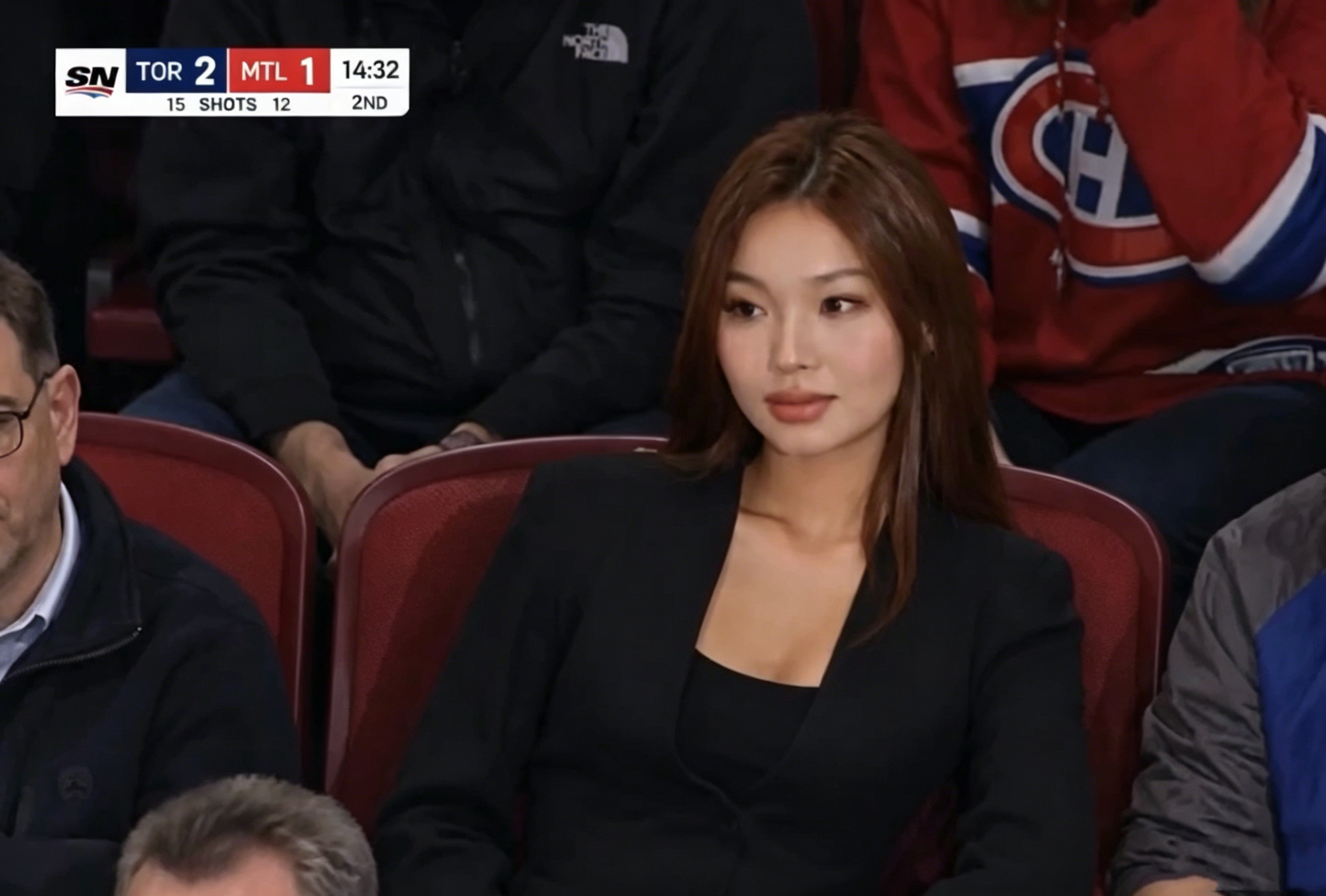
The era of expensive production crews and studio setups is over. With GPT Image 2 + Kling 3.0, anyone can create cinematic, broadcast-quality videos using nothing but a well-crafted prompt. Whether you’re building a product ad, producing viral lifestyle content, or exploring the ai baseball trend, this AI video workflow delivers results once reserved for professional studios.
This tutorial walks through the exact workflow — GPT Image 2 for ultra-realistic stills, Kling 3.0 for 4K animation — with real prompts and examples top creators are using right now.
What Are GPT Image 2 and Kling 3.0?
GPT Image 2: Next-Generation AI Image Generation
GPT Image 2 is OpenAI’s latest image generation model, capable of producing photorealistic visuals with precise detail, accurate text rendering, and complex lighting effects. It launched in April 2026 and topped the LMArena image leaderboard — with particular strengths in text and logo rendering, broadcast-style realism, and complex multi-subject scenes.
Unlike earlier models, GPT Image 2 excels at:
Generating images that look like real photographs or broadcast screenshots
Accurately rendering product labels, logos, and fine text
Producing consistent character and scene styles across multiple outputs
Handling complex materials like frosted glass, wet surfaces, and reflective metal
Whether you want a skincare product floating in mid-air surrounded by splashing aloe juice, or a hyper-realistic smartwatch glistening in the rain, GPT Image 2 handles it with stunning fidelity. It’s the foundation of nearly every viral AI image format on social media right now — including the ai baseball trend prompt format taking over sports content feeds.
Kling 3.0: The World’s Most Cinematic AI Video Model
Kling 3.0 (by Kuaishou) is a state-of-the-art AI video generation model that transforms static images into fluid, high-definition video clips. Key capabilities include:
Native 4K ultra-high resolution output
Physically accurate motion — rain, splashes, reflections, fabric movement
Cinematic color grading and film-like visual quality
Reliable image-to-video animation with minimal artifacts
Strong micro-detail preservation — water droplets, hair strands, fabric folds, glossy surfaces
The combination of GPT Image 2’s detail-perfect images and Kling 3.0’s motion engine produces results that look like professional commercials filmed with real cameras. For product shots, broadcast simulations, and the viral Korean Baseball trend format, no other consumer tool matches this fidelity.
How GPT Image 2 + Kling 3.0 Compares to Other AI Tools
Here’s where this stack sits relative to the alternatives most creators consider in 2026.
Image Generation: GPT Image 2 vs. the Alternatives
Tool | Best For | Weakness vs. GPT Image 2 |
|---|---|---|
GPT Image 2 | Broadcast realism, product ads, text/logo accuracy, ai baseball trend prompts | — |
Midjourney V8 | Artistic, stylized, painterly aesthetics | Weaker text rendering; less photorealistic for commercial product shots |
Google Nano Banana Pro | Portrait consistency, e-commerce reference matching | Less strong on broadcast-style overlays and compression realism |
Stable Diffusion 3.5 | Full local control, fine-tuning, custom LoRA | Requires technical setup; out-of-box realism lower than GPT Image 2 |
Bottom line on image tools: For photorealistic stills meant for animation — especially product ads and ai baseball trend broadcast shots — GPT Image 2 is currently the strongest starting point. Midjourney V8 wins for pure artistic style; Nano Banana Pro wins for portrait reference consistency.
Video Generation: Kling 3.0 vs. the Alternatives
Tool | Best For | Weakness vs. Kling 3.0 |
|---|---|---|
Kling 3.0 | Native 4K, physically accurate motion, product ads, broadcast clips | Narrower prompt style control than Runway |
Google Veo 3.1 | All-around quality, native synchronized audio | Higher cost per clip; less micro-detail preservation at 4K |
Runway Gen-4.5 | Granular editor controls, brand reference consistency | Weaker physical motion realism (rain, liquid, fabric) |
ByteDance Seedance 2.0 | Multi-shot narrative, storytelling sequences | Less suited for single-shot product or broadcast-style clips |
Bottom line on video tools: Use Kling 3.0 for native 4K, physically accurate motion, and lowest cost-per-iteration — ideal for product ads, broadcast simulations, and the ai baseball trend format. Use Veo 3.1 for synchronized native audio. Use Runway Gen-4.5 for granular brand controls. Most pros in 2026 mix 2–3 of these.
For this tutorial’s workflow — photorealistic, single-shot, detail-heavy cinematic clips — GPT Image 2 + Kling 3.0 is the strongest pairing in 2026.
What Is the AI Baseball Trend?
The ai baseball trend is a viral social media format where creators use AI image generation — especially broadcast-screenshot-style prompts — to produce realistic “crowd reaction” shots mimicking live sports broadcasts. The Korean Baseball trend is a subcategory that replicates the warm color grading, scorebug graphics, and stadium lighting of KBO (Korean Baseball Organization) feeds.
These clips went viral because the outputs are nearly indistinguishable from real televised broadcasts. The key ingredients of a convincing ai baseball trend prompt are:
Scoreboard and broadcast overlay graphics
Network logo watermarks
Broadcast color grading
Compression artifacts and interlacing grain
Realistic audience staging and natural expressions
Subtle handheld camera motion (added in Kling 3.0)
GPT Image 2 handles broadcast realism and overlay text with exceptional accuracy for this format. Kling 3.0 then adds the subtle motion that sells the illusion — static AI clips read as fake instantly, but a gentle handheld sway transforms the output entirely.
How to Use GPT Image 2 + Kling 3.0: Step-by-Step Workflow
Step 1: Define Your Creative Vision
Before writing a single prompt, clarify:
What is the subject? (product, person, scene, sports moment)
What mood or style? (cinematic, commercial, editorial, broadcast)
What motion will Kling 3.0 animate? (liquid splash, rain, crowd movement, rotation)
What platform? (Instagram Reels, TikTok, YouTube, ad campaigns)
What aspect ratio? (16:9 horizontal, 9:16 vertical, 1:1 square)
A clear creative direction leads to better prompts and better results.
Step 2: Write a High-Quality GPT Image 2 Prompt
The quality of your GPT Image 2 output directly determines the quality of your final video. Effective prompts include:
Subject description (material, color, shape)
Scene and background details
Lighting style (studio, natural, cinematic, broadcast)
Style reference (commercial photography, ESPN broadcast, luxury ad)
Technical details (aspect ratio, overlays, color grading)
Realism cues (compression artifacts, film grain, lens characteristics)
Prompt example — Skincare Product Ad:
“A frosted green glass tube of aloe gel labeled ‘Pure Aloe’ standing on a glossy surface, surrounded by vibrant arcs of aloe juice and shattered aloe vera leaves splashing in mid-air. Crisp clean background, natural green highlights, high-end skincare commercial style.”
Prompt example — Smartwatch Cinematic Ad:
“A black smartwatch sitting on a wet glass surface near a rain-streaked window. Raindrops on the crystal-clear watch face, reflections of city lights, dramatic moody lighting. Ultra-realistic commercial photography style, 16:9 aspect ratio.”
Prompt example — AI Baseball Trend (ESPN Broadcast Style):
“A screenshot from a live NBA game TV broadcast on ESPN. The camera cuts to the audience — a person sitting courtside, smiling naturally, unaware they’re on camera. Full ESPN broadcast overlay: scorebug, network logo watermark, 16:9 aspect ratio. The image looks exactly like a real TV screenshot — broadcast color grading, slight compression artifacts, interlacing grain.”
This ai baseball trend prompt drives the viral Korean Baseball trend content formats. The key is layering broadcast-specific cues — scorebug, watermark, color grading, compression artifacts — that push the model toward authentic TV-feed output.
Step 3: Generate Your Image with GPT Image 2
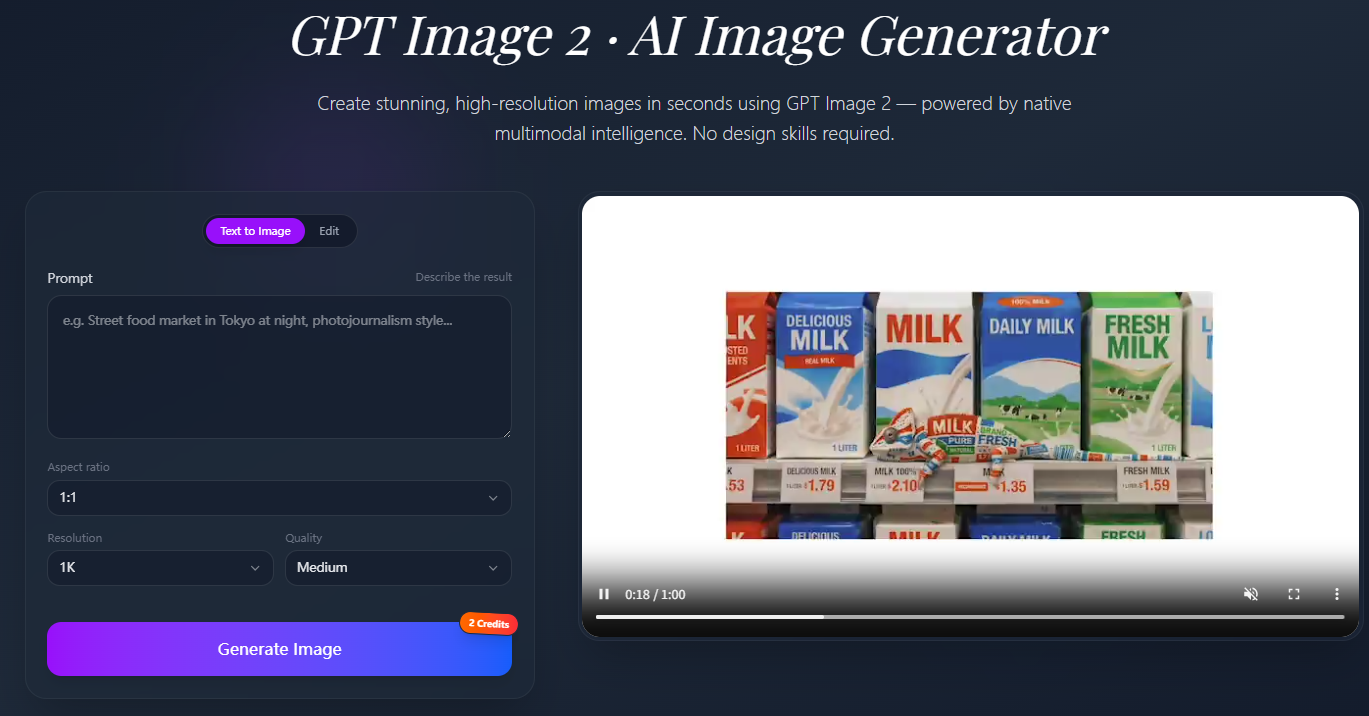
Go to the GPT Image 2 generator
Paste your detailed prompt into the input field
Select your preferred aspect ratio (16:9 for video; 9:16 for TikTok/Reels)
Generate and review — iterate on the prompt if needed
Download the highest-resolution version of your image
Tips for better GPT Image 2 results:
Be specific about materials (“frosted glass,” “matte black aluminum,” “glossy wet surface”)
Include lighting directions (“rim lighting from behind,” “soft diffused studio light”)
Reference real-world styles (“Vogue editorial,” “ESPN broadcast screenshot”)
Lock realism with “natural skin texture,” “subtle film grain,” “slight compression artifacts”
Iterate the prompt, not the seed — write 3–5 variations rather than blindly regenerating
Step 4: Animate with Kling 3.0
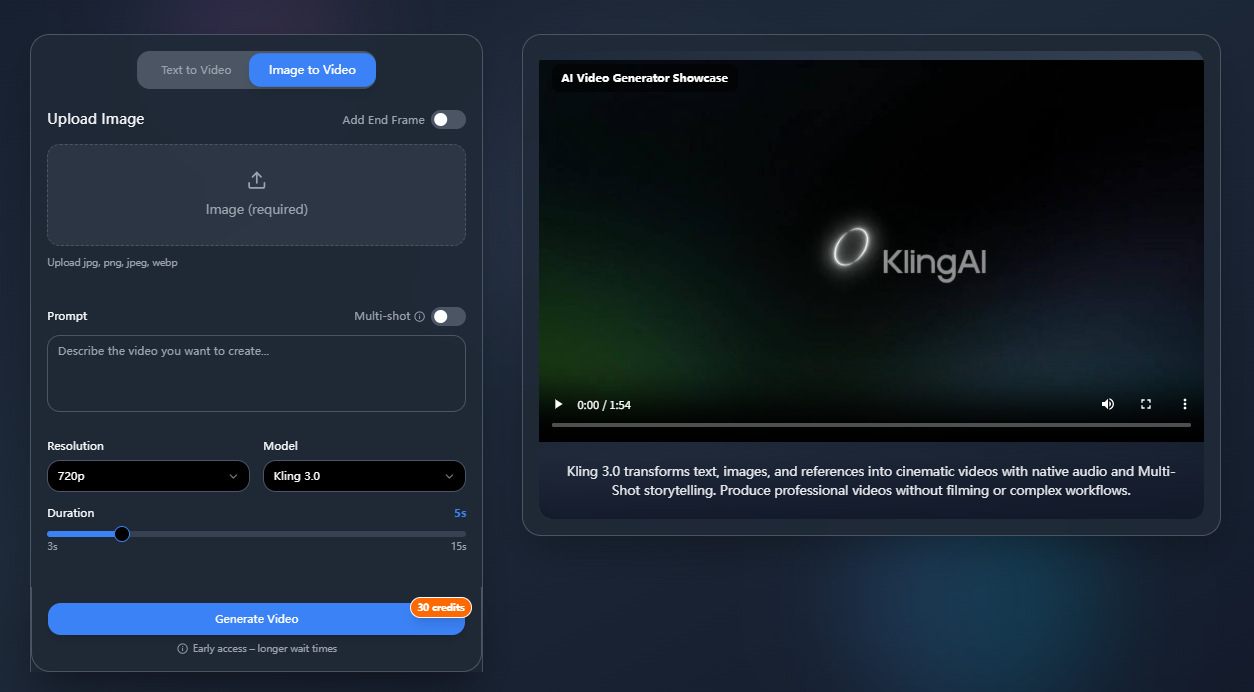
Go to the Kling 3.0 animator
Upload your GPT Image 2 output
Write a motion prompt describing how the scene should move
Select 4K output and your preferred clip duration
Generate and download your video
Motion prompt examples:
For the skincare ad: “Aloe juice arcs gently in slow motion, leaves rotate slightly, soft green light pulses, camera pushes in toward the label.”
For the smartwatch: “Raindrops streak down the glass, gentle reflection ripple, camera slowly pulls back to reveal the city skyline.”
For the ai baseball trend prompt style: “Subtle handheld broadcast camera sway, subject turns and smiles naturally, crowd ambient motion in the background, scorebug stays locked in place.”
The core principle: less motion = more realism. Over-describing motion causes warping. Describe one or two clear actions and let Kling 3.0 handle the physics.
Step 5: Polish and Publish
Trim in a basic video editor (CapCut, DaVinci Resolve, Premiere)
Add music or sound design (crowd noise for sports, ambient music for products, rain SFX for moody scenes)
Apply a subtle LUT or color grade for cross-platform consistency
Export in the platform’s recommended format
Include your prompt in the post description — “behind the scenes” framing drives saves and shares
Real Examples: GPT Image 2 + Kling 3.0 in Action
Example 1: High-End Skincare Commercial
Tool combo: GPT Image 2 + Kling 3.0 4K
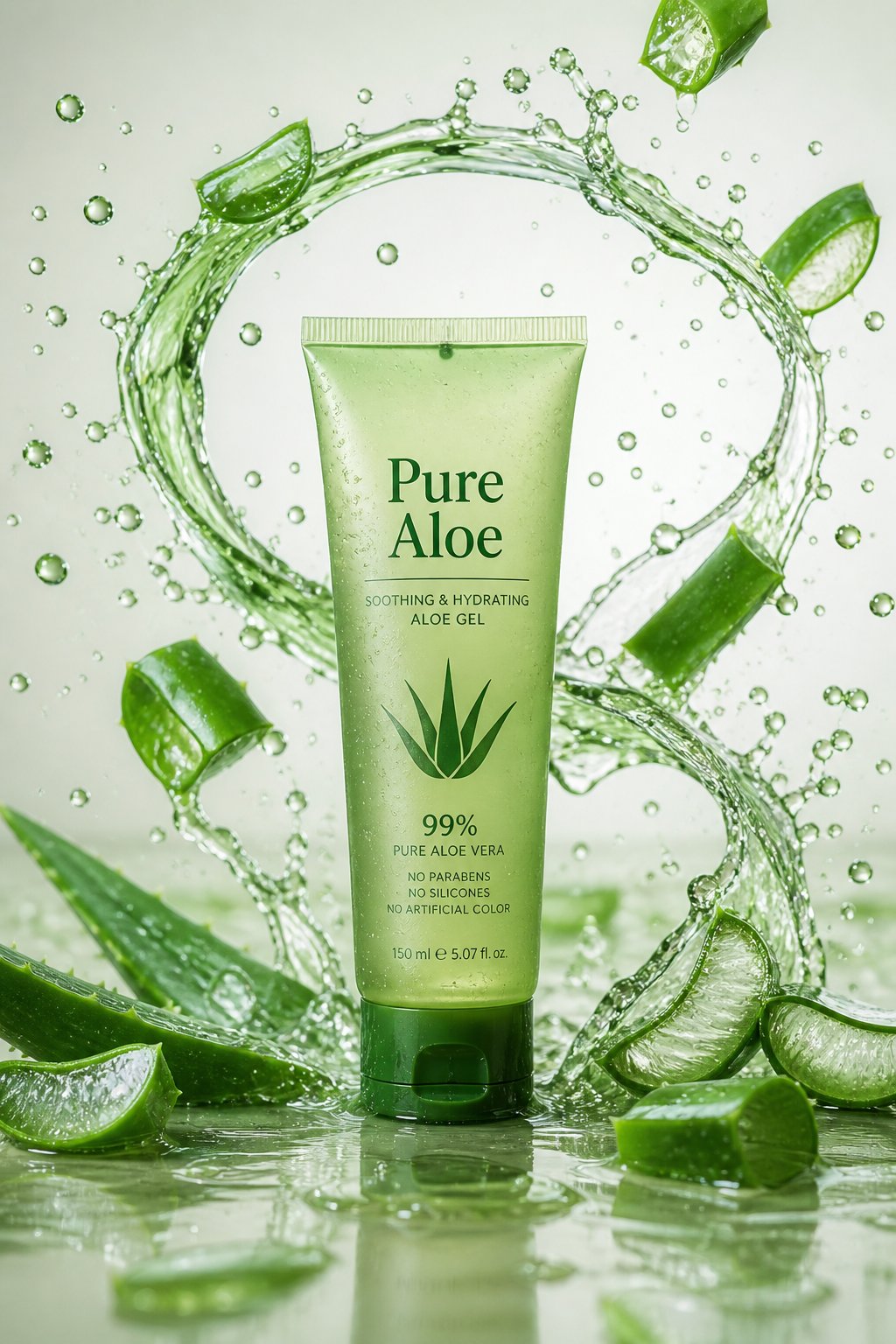
Image prompt:
“A frosted green glass tube of aloe gel labeled ‘Pure Aloe’ standing on a glossy surface, surrounded by vibrant arcs of aloe juice and shattered aloe vera leaves splashing in mid-air. Crisp clean background, natural green highlights, high-end skincare commercial style.”
Motion prompt:
“Aloe juice arcs flow smoothly around the bottle, leaves rotate slowly mid-air, soft camera push-in toward the label.”
Result: A product video indistinguishable from a real TV commercial. The aloe splashes and liquid arcs animate with physical accuracy, the product label stays readable, and the overall look rivals six-figure production budgets.
Use case: E-commerce product launches, DTC brand social ads, beauty content, Amazon listing video assets.
Example 2: Cinematic Smartwatch Advertisement
Tool combo: GPT Image 2 + Kling 3.0 4K
Image prompt:
“A black smartwatch placed on a rainy window ledge with a blurred city skyline behind. Raindrops on the watch crystal and wet reflections on the surface below. Dramatic moody cinematic lighting. Ultra-real, broadcast commercial quality.”
Motion prompt:
“Light rain continues falling, water droplets slide down the watch face, reflections shimmer on the wet surface, slow camera dolly to the right.”
Result: Rain, reflections, and lighting that all feel physically real. The final 8-second clip looks like a high-budget launch video from a premium watch brand — rain moves naturally, the watch stays sharp, the city blurs cinematically in the background.
Use case: Consumer electronics advertising, fashion-tech content, brand campaigns, launch teasers.
Example 3: AI Baseball Trend — Broadcast-Style Crowd Shot
Tool combo: GPT Image 2 + Kling 3.0
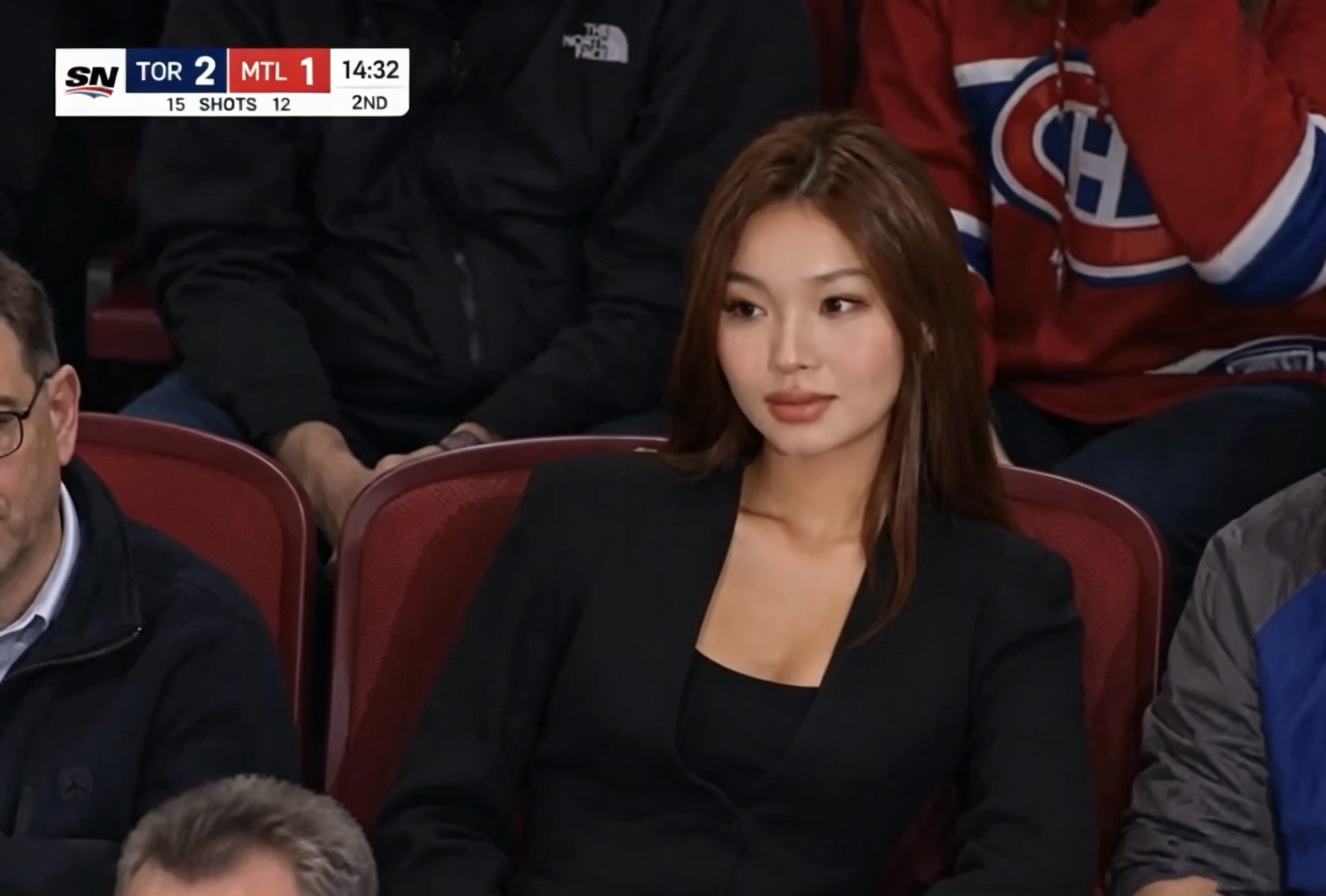
Image prompt (ai baseball trend prompt):
“A screenshot from a live NBA game TV broadcast on ESPN. The camera cuts to the audience — a person sitting courtside, smiling naturally, unaware they’re on camera. Full ESPN broadcast overlay: scorebug, network logo watermark, 16:9 aspect ratio. Broadcast color grading, slight compression artifacts, interlacing grain.”
Motion prompt:
“Subtle handheld camera sway, subject’s hair moves slightly, crowd ambient motion in the background, scorebug stays locked in place.”
Result: A hyper-realistic broadcast clip capturing the viral ai baseball trend and Korean Baseball trend aesthetic. The subtle handheld sway sells the illusion — without it, the clip reads as AI immediately. With it, it becomes nearly indistinguishable from real sports broadcast footage.
Use case: Sports content creation, viral social posts, fan engagement, ai baseball trend prompt challenges.
Tips for Getting the Best Results
For GPT Image 2:
Layer your descriptors — subject + setting + lighting + style + technical specs
Reference real media formats — “ESPN broadcast,” “Vogue editorial,” “Apple keynote slide”
Iterate the prompt, not the seed — write 3–5 variations
Lock the aspect ratio early — switching mid-project causes awkward crops
Include compression cues for broadcast realism — “interlacing grain,” “broadcast color grading,” “slight compression artifacts” push outputs toward authentic TV-feed aesthetics
For Kling 3.0:
Write motion prompts in slow-motion language — “gently,” “slowly,” “subtly” produce more cinematic results
Limit simultaneous motions — focus on 1–2 elements per clip
Match motion to mood — product ads benefit from slow elegant motion; sports content can be more dynamic
Always use 4K for public-facing content — detail preservation is dramatically better than 1080p
Use start-and-end frames for camera moves — generate both endpoints in GPT Image 2, let Kling 3.0 fill the middle
Who Should Use This Workflow?
The GPT Image 2 + Kling 3.0 pipeline is ideal for:
E-commerce entrepreneurs who need product videos without hiring a crew
Social media creators producing ai baseball trend content and viral fan videos
Marketing agencies delivering fast turnaround for client campaigns
Startups building brand presence without production budgets
Artists and filmmakers exploring AI cinematic storytelling
Sports fans and creators inspired by the Korean Baseball trend aesthetic
DTC brands scaling creative testing across dozens of ad variants per week
Frequently Asked Questions
What is GPT Image 2 best used for?
GPT Image 2 is ideal for generating photorealistic images for commercial use — product ads, lifestyle shots, broadcast-style screenshots, editorial images, and any visual that needs to look like a real photograph. Its text rendering and broadcast realism make it the preferred starting point for Kling 3.0 animation.
How is Kling 3.0 different from other AI video tools?
Kling 3.0 specializes in physically accurate motion simulation — rain, liquids, reflections, and fabric all move the way they would in real life. With native 4K output, it produces results that rival professional video production. Compared to Google Veo 3.1, Runway Gen-4.5, and ByteDance Seedance 2.0, Kling 3.0 preserves micro-details (water droplets, hair strands, fabric folds) more reliably across motion at 4K — which is why it’s the preferred animator for high-end product and broadcast-style content.
Should I use Kling 3.0 or Google Veo 3.1 / Runway Gen-4.5?
It depends on the deliverable. Use Kling 3.0 for native 4K, physically accurate motion, and lowest cost-per-iteration — ideal for product ads, broadcast simulations, and the ai baseball trend format. Use Veo 3.1 for synchronized native audio and the strongest prompt adherence. Use Runway Gen-4.5 for granular editor controls and brand consistency. Most pros in 2026 mix 2–3 models per project.
Is GPT Image 2 better than Midjourney V8 or Nano Banana Pro for this workflow?
For the GPT Image 2 + Kling 3.0 pipeline, yes. GPT Image 2 currently leads on text/logo rendering and broadcast-style realism — both critical for product ads and the ai baseball trend prompt format. Midjourney V8 still wins for artistic, stylized aesthetics. Nano Banana Pro is excellent for portraits and e-commerce reference consistency. But for photorealistic stills meant to be animated, GPT Image 2 is the strongest 2026 starting point.
What is the ai baseball trend?
The ai baseball trend is a viral social media format where creators use AI image generation — especially broadcast-screenshot-style prompts — to produce realistic crowd reaction shots mimicking live sports broadcasts. The ai baseball trend prompt typically includes scoreboard overlays, broadcast color grading, and realistic audience staging. It went viral because the outputs are nearly indistinguishable from real televised broadcasts.
What is the Korean Baseball trend in AI content?
The Korean Baseball trend involves using GPT Image 2-style prompts to generate broadcast-authentic images of people in stadium settings, mimicking the visual style of KBO (Korean Baseball Organization) live broadcasts. The aesthetic is defined by warmer color grading, specific overlay graphics, and stadium lighting cues. These images are then animated with Kling 3.0 for viral content.
Can I use these tools for commercial projects?
Yes. Both GPT Image 2 and Kling 3.0 support commercial use. Always verify licensing terms on each platform for your use case. For ai baseball trend or Korean Baseball trend content, avoid implying real broadcast networks or real athletes’ likenesses — stick to fictional teams and characters for paid work.
Do I need design or video editing skills?
No. The core workflow is entirely prompt-driven. Basic video editing (trimming, music) helps for polishing, and can be kept minimal with tools like CapCut.
How long does it take to create a video using this workflow?
A complete workflow — from prompt writing to final video — typically takes 15 to 30 minutes. Most of that time is spent refining your GPT Image 2 prompt. Once the still is locked, Kling 3.0 runs in a few minutes.
Is GPT Image 2 + Kling 3.0 suitable for product marketing?
Absolutely. As shown by the skincare and smartwatch examples above, this workflow produces commercial-grade videos visually indistinguishable from traditionally produced ads. DTC brands are already using it to scale creative testing — 20+ ad variants in the time it used to take to film one.
Can I make vertical TikTok or Reels content with this stack?
Yes. Generate your GPT Image 2 still in 9:16 vertical and run Kling 3.0 at the same aspect ratio. The workflow is identical to horizontal — just lock the ratio at the start.
Start Creating Today
GPT Image 2 + Kling 3.0 represents a real leap forward in accessible AI video production. From viral ai baseball trend content to polished product commercials, the workflow is fast, intuitive, and produces results that surprise even experienced video professionals.
Start with a single clear prompt. Iterate the still. Animate. Polish. The studio is now in your browser.